


Turn on two-factor authentication
Two-factor authentication asks for a code from an authenticator app every time you sign in to EZ File Drop, on top of your password. It is available on every plan.
Two-factor authentication protects your own EZ File Drop account. It has no effect on the people uploading to your forms, who never sign in to anything. Requiring a password on a form is a separate, unrelated setting.
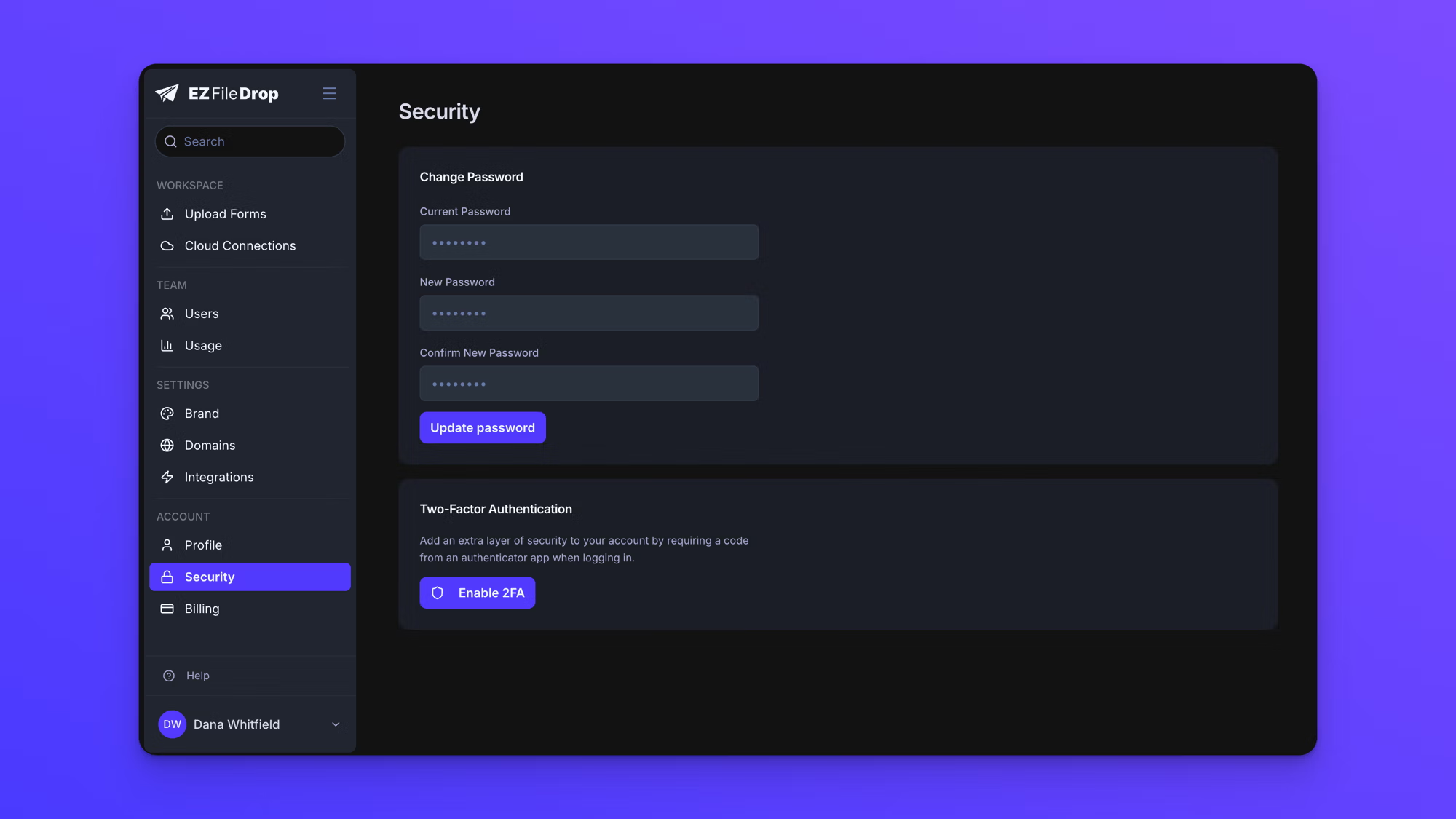
Turn on two-factor authentication
- In the left sidebar under ACCOUNT, click Security.
- Click Enable 2FA.
- Scan the QR code with an authenticator app such as Google Authenticator, Authy, or 1Password. If you cannot scan it, use the text code shown under "Or enter this code manually:".
- Enter the 6-digit code from your authenticator app.
- Click Verify & Enable.
Once it is on, the Security page reads "2FA is enabled" and "Your account is protected with an authenticator app. You'll need to enter a code each time you log in."
EZ File Drop emails you whenever two-factor authentication is turned on or off on your account, so an unexpected change does not go unnoticed.
There are no recovery codes
EZ File Drop does not issue backup or recovery codes. Your authenticator app is the only thing that can produce a sign-in code, so losing access to that app means losing the ability to sign in.
Set it up in an authenticator that backs up or syncs across your devices before you rely on it, so that replacing a phone does not lock you out of your account.
If you have already lost access to your authenticator app, contact support. Two-factor authentication cannot be switched off from your account without a working code, so it has to be cleared for you.
Turn off two-factor authentication
- In the left sidebar under ACCOUNT, click Security.
- Choose to disable two-factor authentication.
- Enter the current 6-digit code from your authenticator app and confirm.
The dialog explains "For your security, enter the current 6-digit code from your authenticator app to confirm disabling 2FA." You need a working code to turn it off, so contact support if you have lost your authenticator app.
Change your password
- In the left sidebar under ACCOUNT, click Security.
- Enter your existing password in Current Password.
- Enter your new password in New Password, then again in Confirm New Password.
- Click Update password.
Changing your password does not affect two-factor authentication.
Behavior notes
- Two-factor authentication is set per user, not per team. Turning it on for your own account does not turn it on for your teammates, and a team owner cannot require it across a team.
- If you start the setup and leave without entering a code, nothing is saved and your account is unchanged.