


Migrate to the new EZ File Drop
Moving to the new EZ File Drop happens at your own pace: you sign in with your same email and password, import your account, look around, and nothing about your day-to-day changes until you decide it should. But one question comes up more than any other: when do my live upload forms actually switch over? This guide covers the whole move, start to finish: getting signed in, importing your account, and switching your forms.
The whole move in three steps
- Sign in to the new platform. The same email and password you use on the legacy platform already work; there's no new account to create. (If your password manager doesn't offer your saved login, that's because the new platform has a different web address. Enter the same credentials you use on the legacy platform.)
- Import your account. This copies your forms, settings, and submissions into the new platform, and it changes nothing on your live forms. On team accounts, the import is run once by a team owner and brings over every member's forms, both private and shared, and private forms stay private to their owners.
- Switch each form whenever you're ready. Each form gets its own new share link and embed code on the new platform, and it switches only when you use the new one in place of the old, or turn on Legacy URL Forwarding. The rest of this guide explains exactly how that works.
The legacy platform stays fully operational through December 31, 2027, so you control the timing of every step.
When do my forms switch to the new platform?
The short answer: never automatically. Importing your account doesn't switch anything. Publishing a form on the new platform doesn't switch anything either. A form switches only when you point its traffic at the new platform, by replacing its share link or embed code, or by turning on Legacy URL Forwarding. You control the moment each form moves, one form at a time.
The one rule that explains everything
Your live traffic follows the share link or embed code, not your account. Every upload form you've shared has its own share link or is embedded in a specific page. When you import your legacy account into the new platform, each of your forms gets a brand-new share link and embed code, which means your legacy form and its new version can both be live at the same time, each at its own address.
What importing does (and doesn't do)
When you import your legacy account, we copy your forms, settings, and submissions into the new platform so you can explore, test, and fine-tune everything.
Importing does not:
- Change, pause, or redirect your live upload forms
- Move or alter your existing share links
- Notify your uploaders or clients of anything
And your uploaded files? They don't move because EZ File Drop never stored them: every upload has always been delivered to your own cloud storage, and migrating doesn't touch them.
Importing is the risk-free first step. You could import today, not touch the new platform again for months, and your uploaders would never know anything happened.
How to switch a form, step by step
- Import your account (you only do this once).
- Review your forms in the new platform. Your forms come over looking very close to the originals, but because the new platform styles forms a little differently, they won't be pixel-identical. Most forms need no adjustment; heavily customized ones might need a few minutes.
- Test each form. Submit a test upload and confirm the files are delivered to your upload destination, organized the way you expect. If the new platform prompts you to reconnect your cloud storage first, follow the prompt and sign in to your storage account again: some providers (most often OneDrive and Box) require a fresh authorization on the new platform before files can be delivered.
- Publish it. Your form is now Live on the new platform, at its own new share link. Nothing has changed for your uploaders: your legacy form is still live at its old share link, the new version is live at its new share link, and both being live at once is exactly how this is supposed to work. Nobody is using the new share link yet. See Share your form.
- Point your traffic at it. This is the actual switch, and it depends on how you use the form:
- Shared by link (websites, emails, bookmarks, QR codes): replace the old share link with the new one everywhere it appears. For places you can't update quickly, turn on Legacy URL Forwarding from the form's Share tab, and anyone who opens your old share link will be sent to the new form.
- Embedded on your own site: replace the old embed code with the new embed code, copied from the form's Share tab. Legacy URL Forwarding does not work for embedded forms; swapping the embed code is the only way to switch them. See Embed a form on your website.
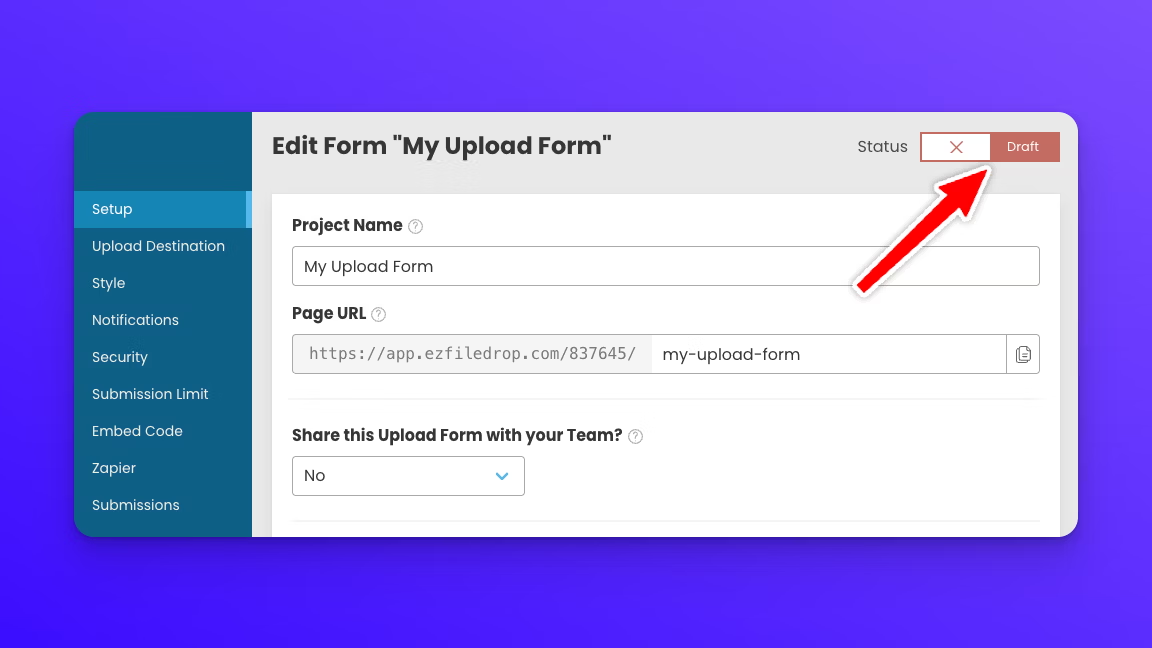
- Unpublish the legacy form. Once traffic is flowing to the new form, sign in to the legacy platform and unpublish the old form so it returns to Draft and nobody who stumbles onto it can accidentally upload there.
About Legacy URL Forwarding
Legacy URL Forwarding is the closest thing to a flip-the-switch moment: turn it on, and anyone who opens the form's old share link lands on the new form. But it's a bridge, not a destination. It works for share links only (not embeds), and it works until December 31, 2027, when the legacy platform shuts down and forwarding stops with it. And because a forwarded visit takes an extra step to reach the new form, the form loads a little more slowly. It's the right tool for share links that are out in the wild and hard to change quickly, like a QR code on printed flyers or a share link in old client emails. But that small speed difference is one more reason the real finish line is updating the share link itself: everywhere you control it, replace it with the new one, and treat forwarding as cover for the places you haven't gotten to yet.
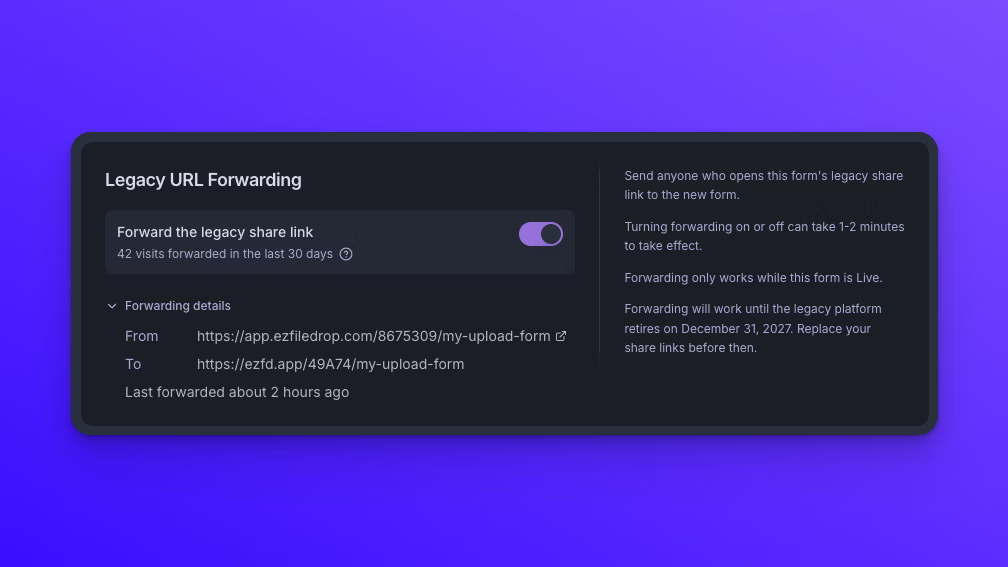
Two more rules. Forwarding only happens while your new form is Live: if you unpublish the new form, your old share link goes back to serving the legacy form as usual. And forwarding changes take a minute or two to fully take effect, in both directions, whether you're turning it on or off, so give it a moment before you test the old share link.
Submissions that arrive during your transition
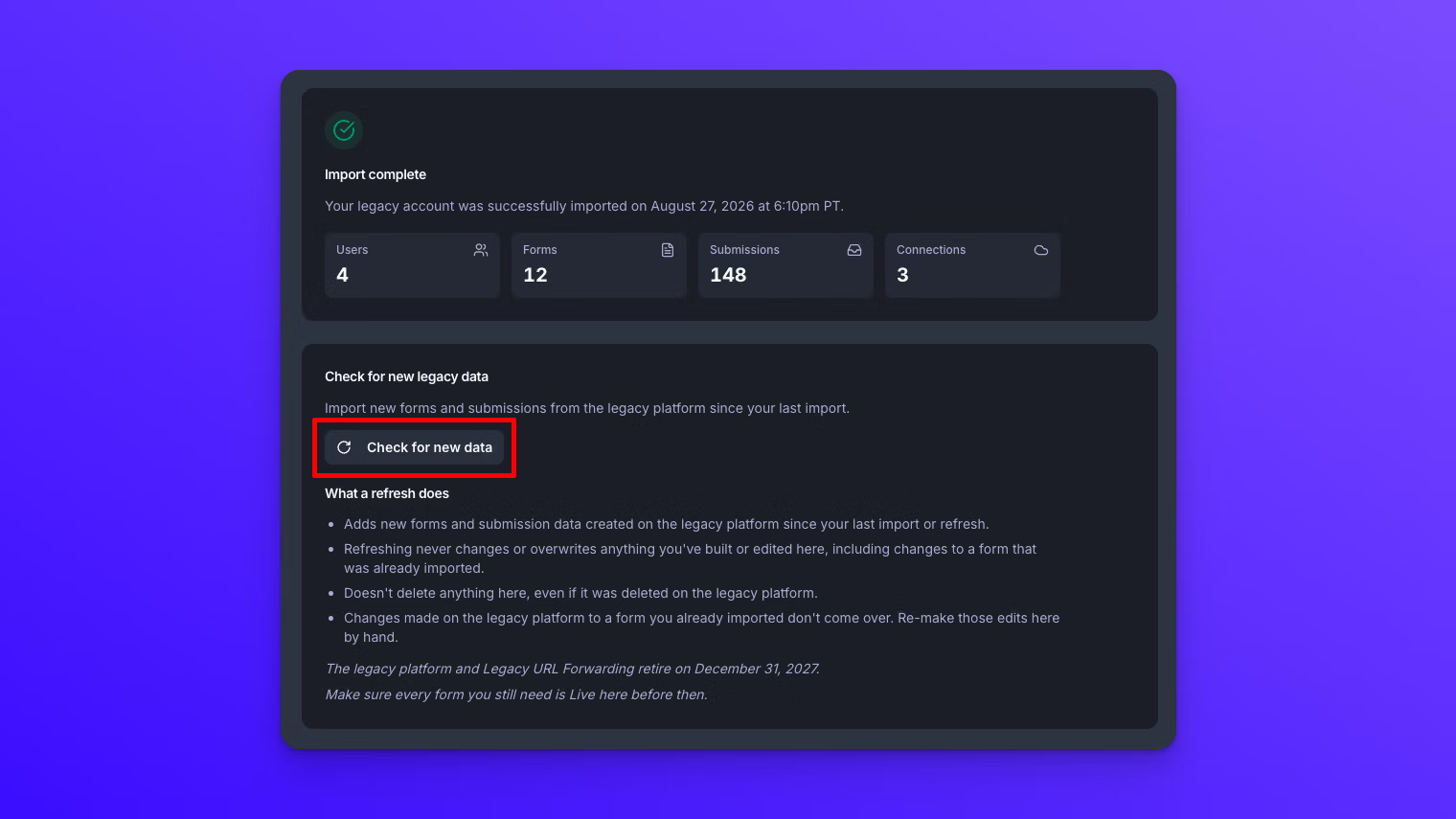
The two platforms don't sync. Anything submitted to a legacy form after your import stays on the legacy platform. That's what a refresh is for: from the Import Legacy Account page (under Account in the sidebar), use Check for new data to see what's accumulated on the legacy platform, then Import new data to bring it over. A refresh adds new submissions on your imported forms and any legacy forms you created after your first import. You can run it whenever you like, and it never changes anything you've built or edited on the new platform.
If you edit a form on the legacy platform after importing
Form changes don't carry over, in either direction, and a refresh doesn't include them. If you change a form's fields, design, or upload destination on the legacy platform after importing, you'll need to make the same changes manually on the new platform. The cleaner habit: once you've imported, treat the new platform as the master copy of your forms, and switch each form soon after you confirm it's working properly.
A sensible timeline
Import now, since it's risk-free and takes minutes. Switch your simplest form first to learn the flow end to end. Use Legacy URL Forwarding as a bridge for hard-to-update share links, and replace the actual share links as you go. Have everything switched, with the new share links and embed codes in place everywhere, before December 31, 2027.
Quick answers
Will my files move over when I migrate? There's nothing to move: EZ File Drop has never stored your files. Every upload is delivered to your own cloud storage (Google Drive, Dropbox, OneDrive, SharePoint, Box, or FTP), so everything anyone has ever sent you is already sitting safely in your storage, and migrating doesn't touch it. What copies over when you import is your submissions: the complete form entries, with all the information people filled out along with the files they sent.
Do I need a new login? No. Sign in to the new platform with the same email and password you use on the legacy platform.
Who runs the import on a team account? A team owner, once, for the whole team. It brings over every member's forms, private and shared, and private forms stay private to their owners.
Does importing change my live forms? No. Nothing changes for your uploaders until you replace a share link or embed code, or enable Legacy URL Forwarding.
Can my legacy form and its new version both be live at once? Yes, and they will be: the new version has its own share link, so publishing it doesn't touch the legacy form. Uploads go to whichever version people open. This is the normal middle state of migrating.
Do my old share links break when I switch? No. With Legacy URL Forwarding on, old share links redirect automatically until December 31, 2027. Embedded forms switch the moment you swap the embed code.
Can I import more than once? Your account import happens once, but you can check for new legacy data anytime from the Import Legacy Account page, which refreshes your import with new submissions and new legacy forms.
What if I changed a legacy form after importing? Changes to existing forms that have already been imported are not synced with the new platform when you refresh your data, so you'll need to re-make those changes on the new platform by hand.
What happens on December 31, 2027? The legacy platform shuts down and Legacy URL Forwarding stops. Every form you still need must be Live on the new platform, with its new share link or embed code in place, before then.
Need a hand? Our team is here to help. If you have a question that isn't answered here, have a complex workflow or integration question, or just need some extra help getting moved over to the new platform, contact our support team at support@ezfiledrop.com.