
Receive files from anyone into your own cloud storage.
A branded upload form that delivers every submission into your own Google Drive, Dropbox, OneDrive, SharePoint, Box, or FTP. No logins for uploaders.
No credit card required · 7-day Business plan trial




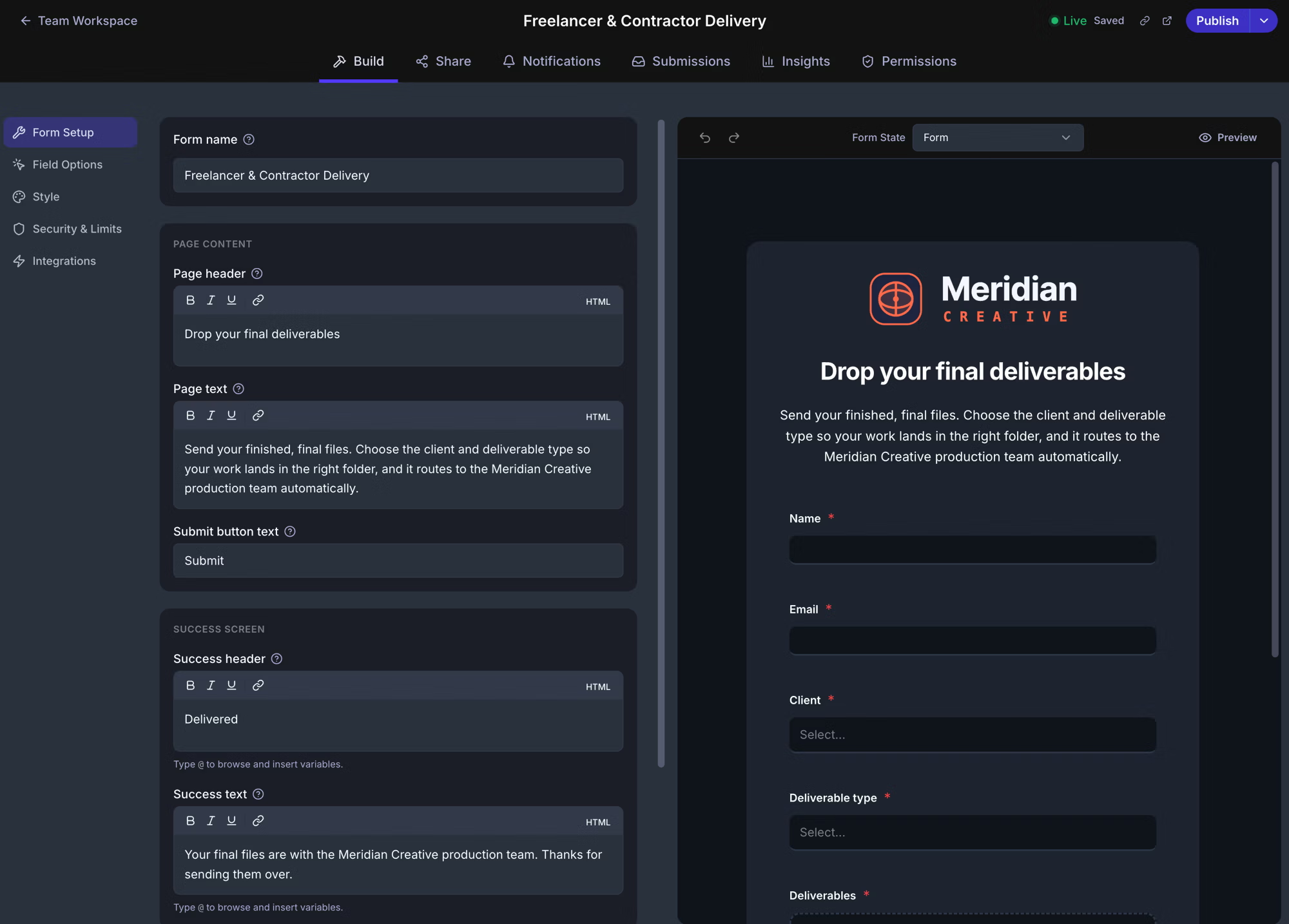
Trusted by





Files delivered to your cloud. Not ours.
Most file-collection tools become the place your files live. EZ File Drop doesn't. Every submission is delivered into your own Google Drive, Dropbox, OneDrive, SharePoint, Box, or FTP. We're a pipeline, not a storage layer. Your files arrive where you already work, and stay there.

No logins. No apps. No friction.
Your clients, students, vendors, and volunteers don't need a Dropbox account, a Google login, or any app installed. They open your form, drag in files, and submit. Works on phones, tablets, and laptops. Anything with a browser will do. Mobile uploads keep full resolution. All file types accepted.
Forms built for the way you actually work.
Custom fields, conditional logic, multi-page intakes, branded design.
Built for collecting what you need, not just what fits in a generic form.
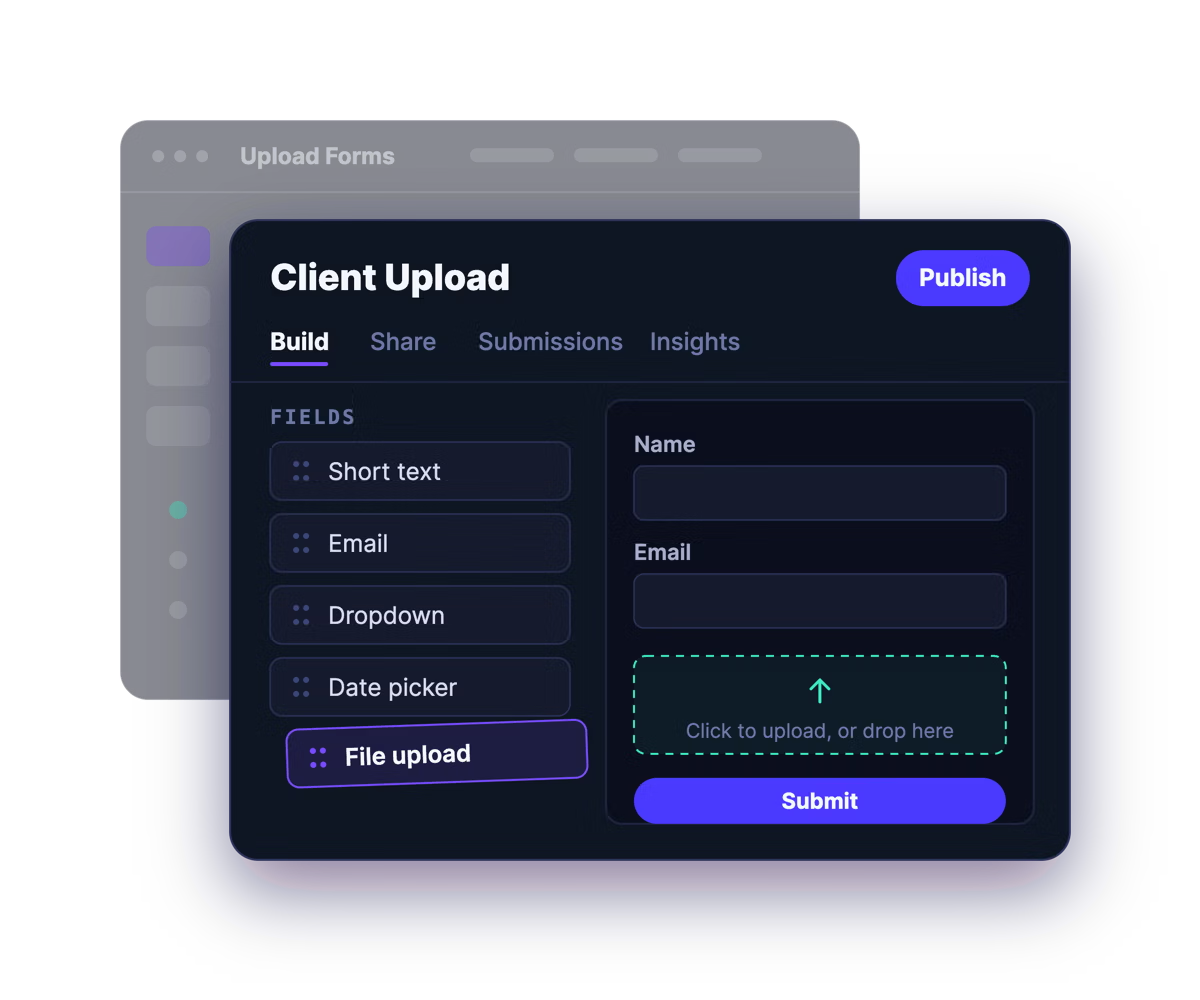
Form Builder
Drag-and-drop builder with custom fields, ratings, date pickers, layout blocks, and text blocks.
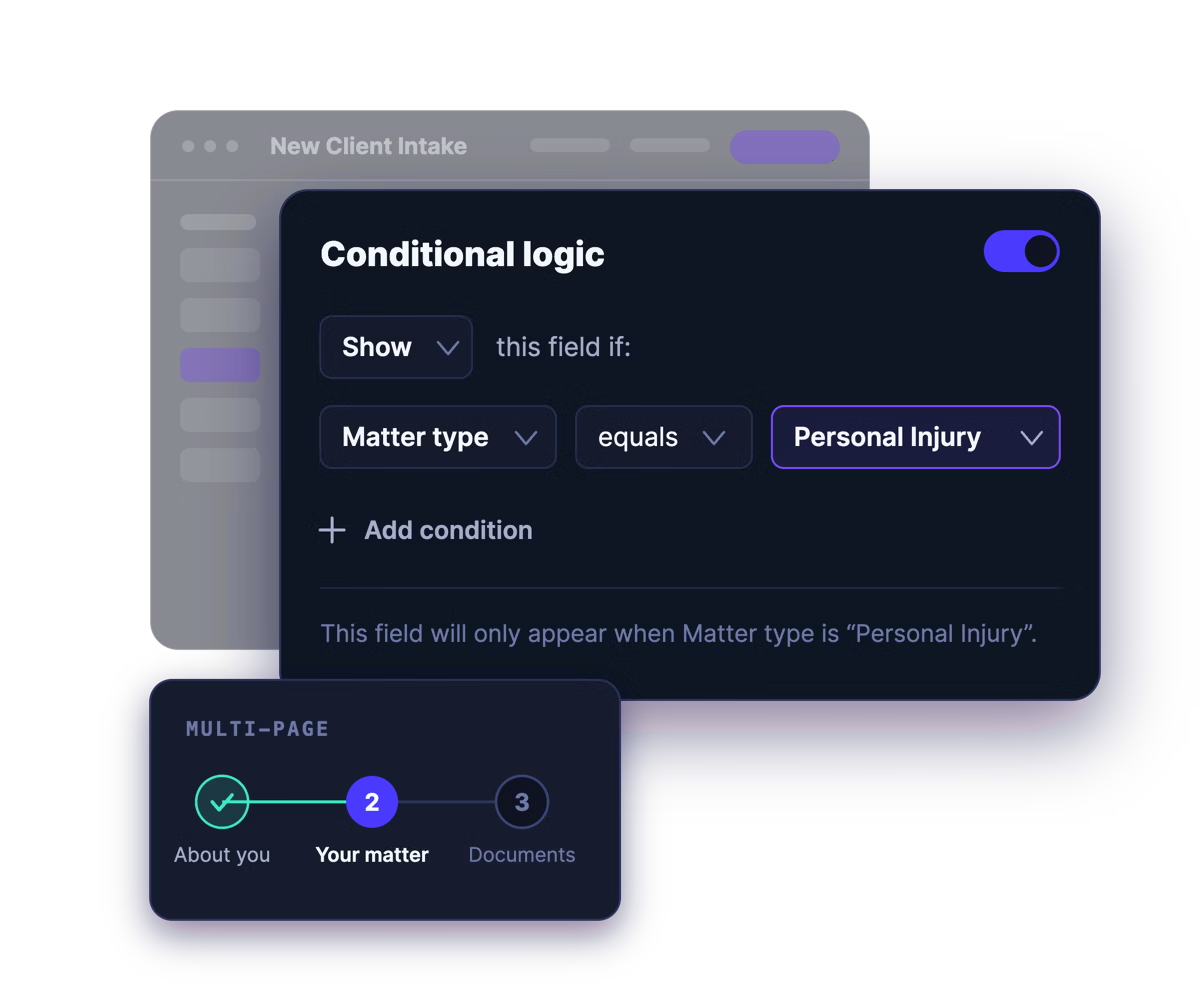
Conditional Logic & Multi-Page Forms
Show or hide fields based on earlier answers, so each person sees only what applies. Split long intakes across multiple pages.
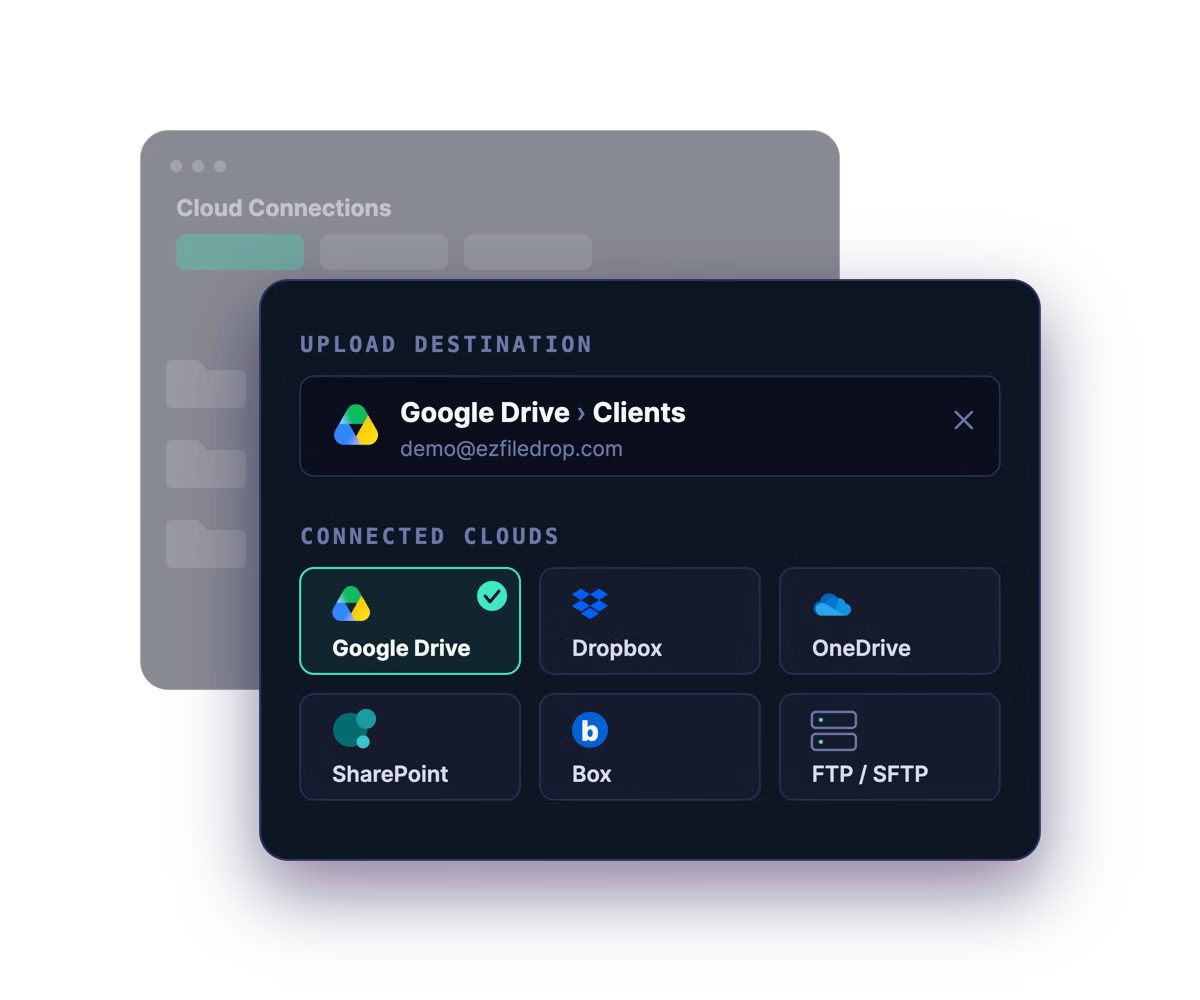
Cloud Storage Routing
Files land in Google Drive, Dropbox, OneDrive, SharePoint, Box, or FTP. You choose the destination folder.
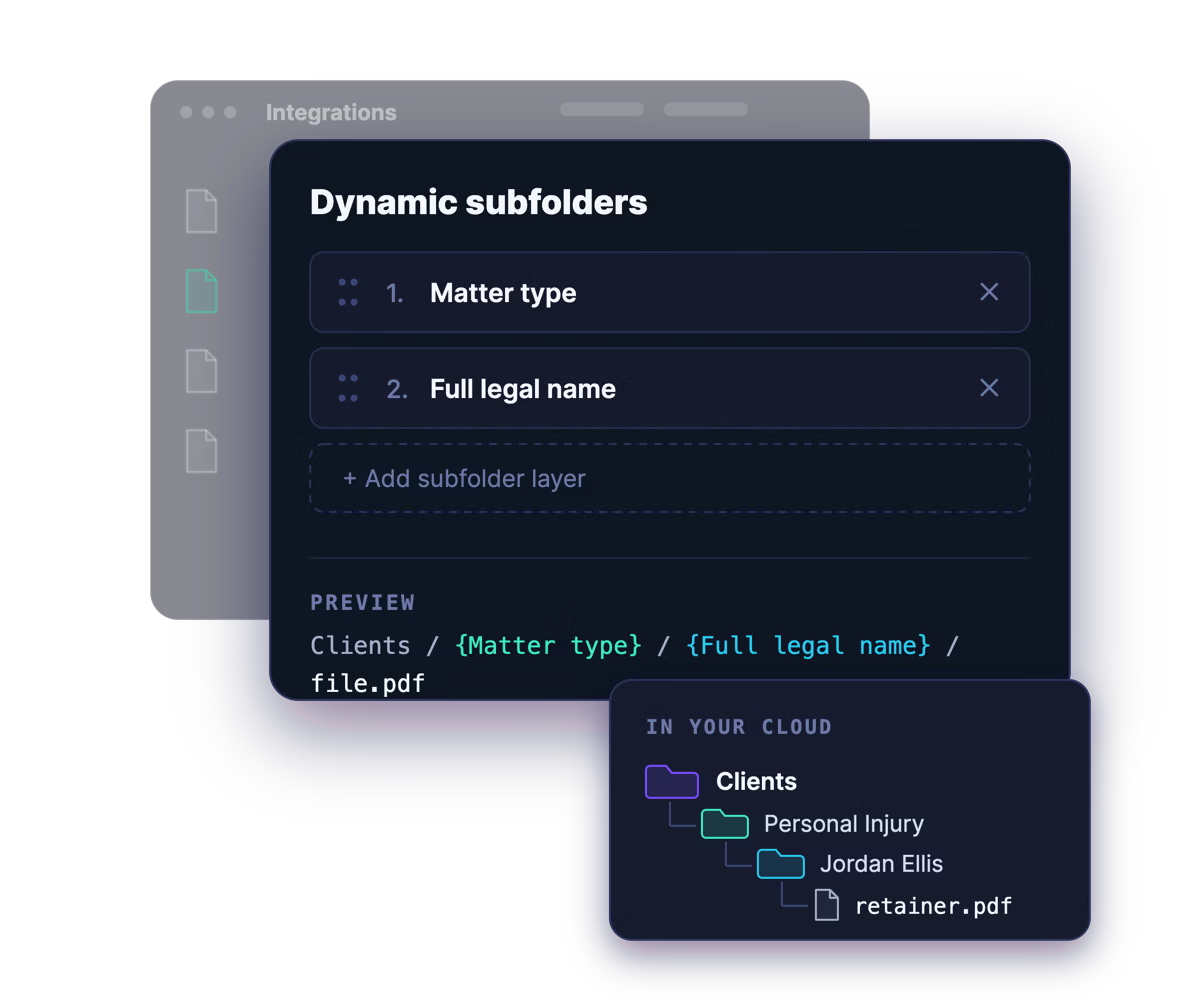
Dynamic File Organization
Auto-create subfolder layers using form field data, custom text, or any combination.
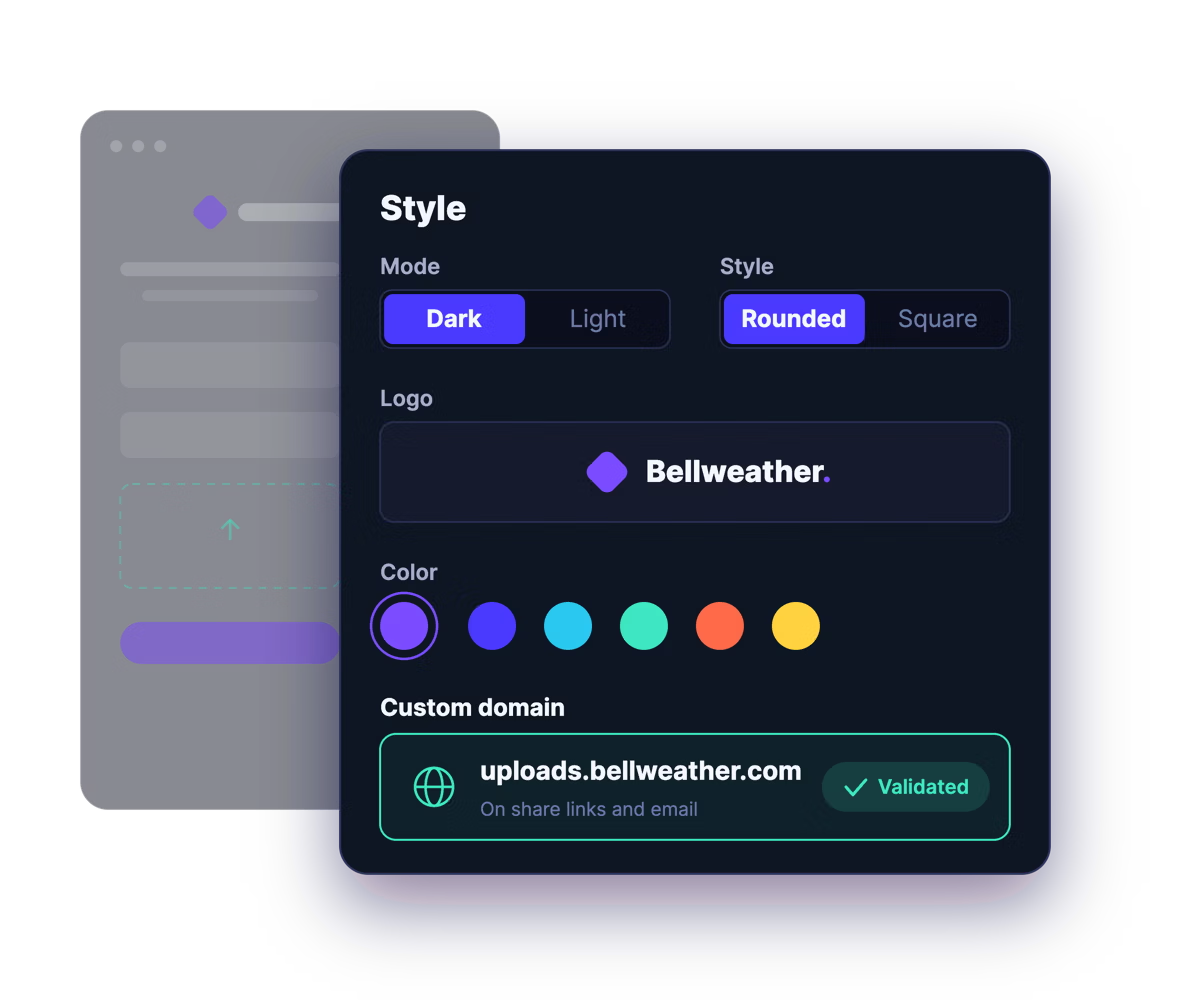
White-Label Branding
Your logo, colors, fonts, success messages. Custom domain on share links and email (Premium).
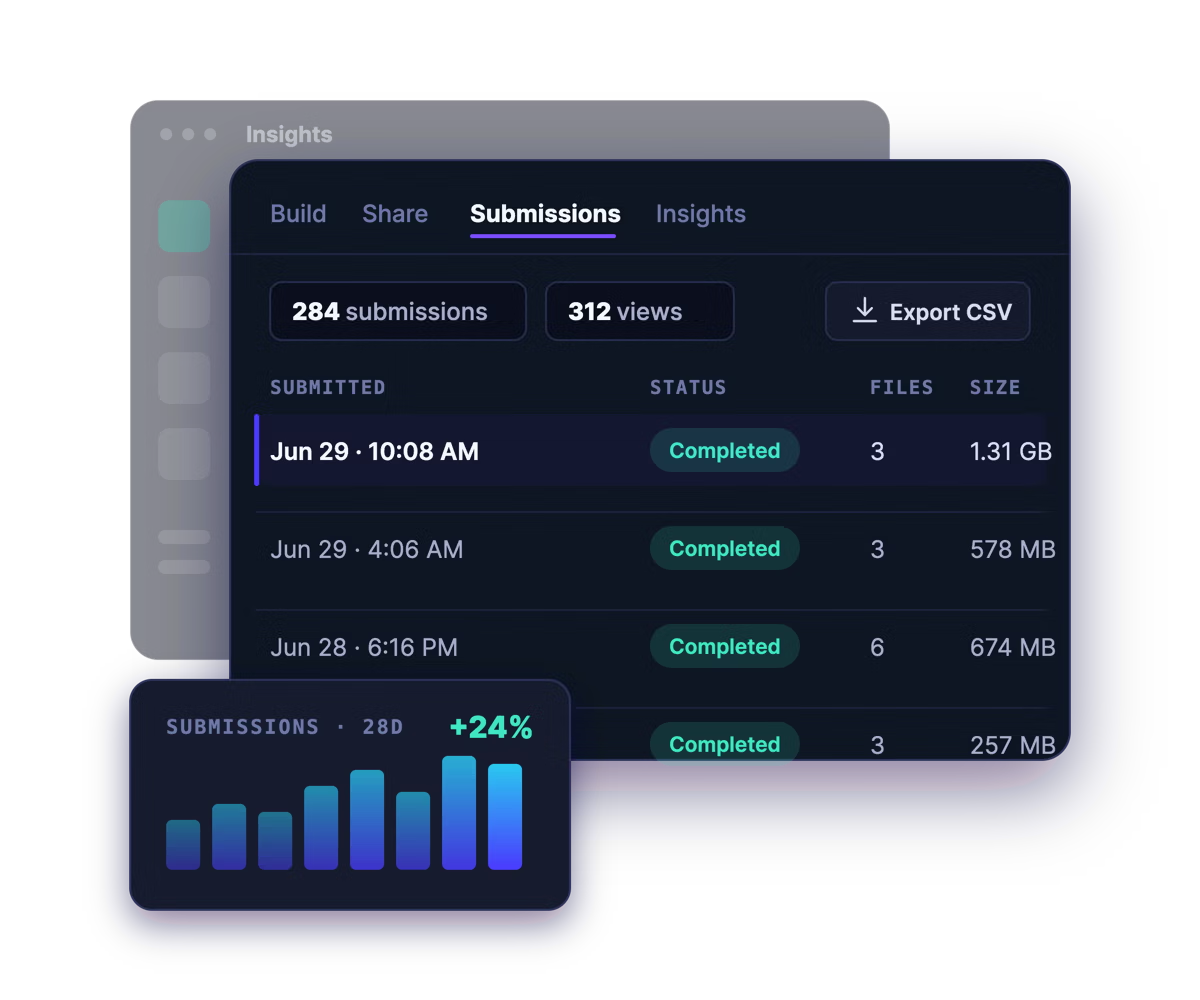
Submission Inbox + Analytics
Sort, filter, and export submissions. Track views, scans, conversion rates, devices, and sources.
Built for teams collecting at scale.
Whether you're collecting hundreds of submissions a month or running file collection as a core service, EZ File Drop scales with you. Connect every cloud account your team needs. Route each form to its own destination. Give every team member the exact permissions they need. Track volume across the operation in one place.
Running a high-volume operation? Premium adds custom domains and 1 TB of monthly bandwidth — designed for agencies and teams collecting at scale. See pricing →
.avif)
Built for teams across every industry.
Accounting firms collecting tax documents. Marketing agencies onboarding new clients. Law firms gathering intake materials. Schools collecting parent forms. Nonprofits running fundraising campaigns. The shape changes; the workflow stays simple.
Accounting & Bookkeeping
Client document collection that doesn't depend on email chases. Explore →
Marketing Agencies
Branded onboarding questionnaires and asset collection for every client. Explore →
Law Firms
Confidential client intake with password protection and an audit-trail submission inbox. Explore →
Education
Student work, parent forms, and admissions documents, delivered to your school's cloud. Explore →
Nonprofits
Volunteer photos, donor receipts, and program documents collected with no logins required. Explore →
And many more…
Ready to receive files the easy way?
Try EZ File Drop free for 7 days with full Business plan capabilities. No credit card required. Cancel anytime.