


Delete your account or team
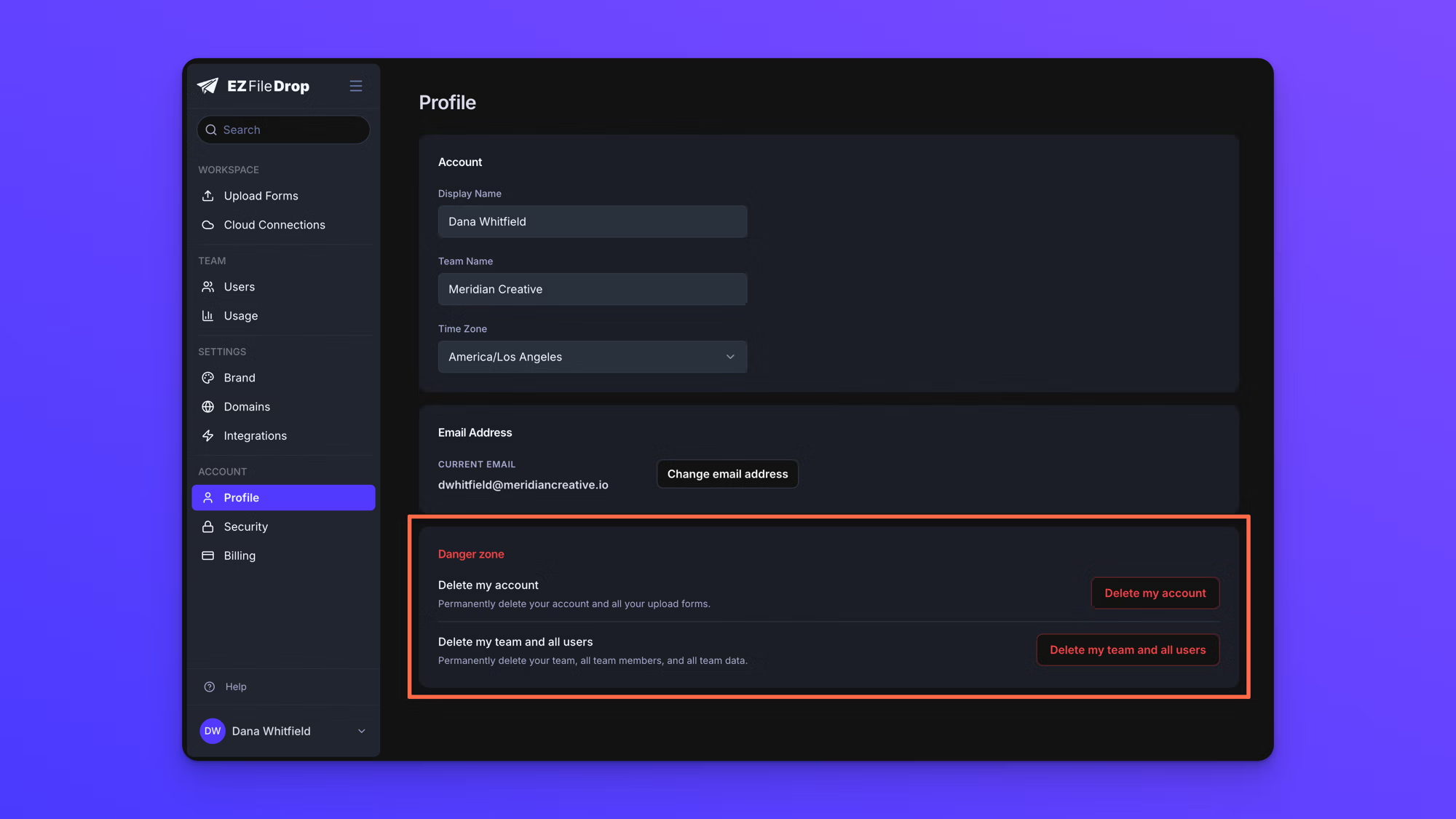
The Danger zone at the bottom of the Profile page holds two permanent actions: deleting your own account, and deleting your whole team. Both remove data and neither can be undone.
Deleting is not the same as cancelling
Cancelling a subscription stops the billing. Your forms move to "Draft" at the end of the period you have paid for, and everything you built stays in your account so you can start again later.
Deleting removes the data itself, and nothing that is deleted can be recovered. If what you want is to stop paying, cancel instead.
Delete your own account
- In the left sidebar under ACCOUNT, click Profile.
- Scroll to Danger zone at the bottom of the page.
- Click Delete my account.
- If you own forms in the team workspace, choose a teammate to reassign each one to. A form you do not reassign is deleted with your account.
- Type DELETE to confirm.
Deleting your account permanently removes the forms in your private workspace and their submission records, your connected cloud accounts, and your access to the team. Forms you own in the team workspace are reassigned to the user you choose.
If you are the only team owner, you cannot delete your account on its own. Promote another user to team owner first, or delete the whole team instead.
Delete your whole team
This option appears only if you are a team owner and there is more than one user on the team.
- In the left sidebar under ACCOUNT, click Profile.
- Scroll to Danger zone at the bottom of the page.
- Click Delete my team and all users.
- Confirm, then open the email EZ File Drop sends you and click the confirmation link.
- Enter your password on the page the link opens.
Deleting a team removes every user on it including your own account, every upload form in every workspace, all submission data and uploaded files, all cloud connections, custom themes, and brand colors, and all audit logs and activity history. The subscription is cancelled at the same time, with no refund and no proration for the rest of the period.
Behavior notes
- The team deletion link is valid for 24 hours. Nothing is deleted until you use it, so ignoring the email or letting the link expire cancels the request.
- You get five tries to enter your password correctly on the last step. Nothing is deleted if you run out of tries.
- Files already delivered to your cloud storage are untouched by either action. They live in your own storage account and stay there after your EZ File Drop account is deleted.
- Deleting your account frees your email address, so it can be invited to a team again later as a new user. Nothing you deleted is restored.