
How EZ File Drop keeps your files secure
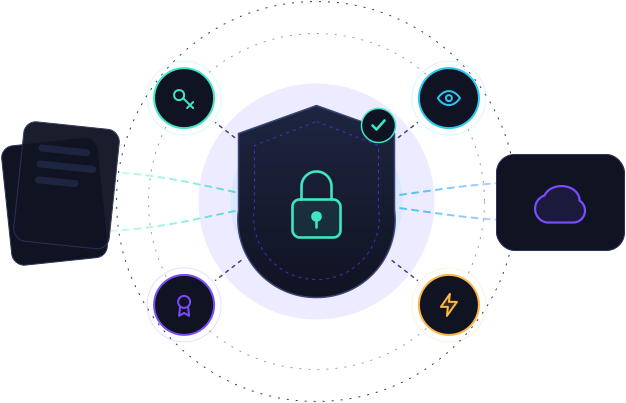
EZ File Drop was built with security as a primary design focus. This page walks through how your files are protected at each step: from the moment someone uploads through one of your forms, through our infrastructure, and into your connected cloud storage. It also covers how we protect your account, the providers we run on, and how we handle disclosure and incidents. If you have a question this page doesn't answer, email security@ezfiledrop.com.
The path your files take
A file uploaded through one of your forms makes a short, defined trip. It travels over an encrypted connection to a private staging area, gets delivered to the cloud storage you chose, and the staged copy is then removed. EZ File Drop is a pipeline, not a place your files live. The sections below detail each step.
Encrypted from the first upload
Every file uploaded through an EZ File Drop form travels over HTTPS, encrypted with TLS. It's the same standard used for online banking and the web's baseline for moving sensitive data. The connection is encrypted between the uploader's browser and AWS S3, so files can't be read while they're in transit. Larger files are split into parts and uploaded in parallel, which is faster and more reliable than sending one big file in a single stream.
Temporary staging on Amazon S3
Uploads land first in a private staging area on Amazon S3, with no public access. Staging on S3 is faster than uploading straight to most cloud storage services and gives several EZ File Drop features the room they need to run. Amazon S3 encrypts stored objects at rest.
Staging is temporary by design. When a transfer to your cloud succeeds, the staged copy on S3 is removed within about an hour. If a transfer fails, for example because your destination is full or briefly unreachable, the staged copy is kept so you can retry the delivery from your dashboard for up to 30 days. We email you a warning seven days before a staged file is removed. Once it's removed, the retry option for that file goes away.
How EZ File Drop connects to your cloud
For Google Drive, Dropbox, OneDrive, SharePoint, and Box, EZ File Drop connects through OAuth2. You authorize access through your provider's own login, which means EZ File Drop never sees or stores your password, and you can revoke access at any time from your cloud account. The authorization tokens EZ File Drop receives are stored securely and used only to deliver files to the destinations you've connected.
If you connect an FTP or SFTP server instead, the credentials you provide are stored encrypted at rest and used only to connect to your server and deliver files.
Secure delivery, with retry
For Google Drive, Dropbox, OneDrive, SharePoint, and Box, EZ File Drop delivers your files over an encrypted HTTPS connection, into the exact folder you chose. When delivery is confirmed, the staged copy is purged.
For FTP destinations, the security of that final step depends on how your server is configured. EZ File Drop supports SFTP and FTPS, which encrypt both your credentials and the transfer, and we recommend using one of them. Plain FTP works but sends data unencrypted, so we don't recommend it.
If a delivery doesn't go through, your files stay safely in staging so you can retry, on the 30-day window described above.
Once your files arrive, they're governed by your cloud
After delivery, your files live in your own cloud storage, under that provider's security and the settings on your account. Established providers like Google Drive, Dropbox, OneDrive, SharePoint, and Box encrypt data in transit and at rest and run their own threat detection for things like spam, phishing, and malware. How your files are protected at rest is ultimately governed by the provider you chose and how you've configured it.
Protecting your account
Your EZ File Drop account is the first line of defense for everything downstream, so we protect it accordingly.
Lock down a form with a password
Any form can be locked with a password, so only people who know the shared secret can open it and upload. It's useful for client intake, sensitive document collection, or any form whose link might travel beyond the people you intended. Form passwords are encrypted at rest with AES-256, and the encryption key is held outside the database, so a leak of the database alone would not expose them. Forms can also require a CAPTCHA to keep automated bots from submitting.
The providers we run on
EZ File Drop runs on a small, deliberately chosen set of industry-standard providers. We don't run our own data centers, and we don't add services we can't stand behind.
We review this list periodically and update this page when it changes.
Where your data lives
EZ File Drop's primary infrastructure runs in the United States, in AWS's us-west-2 region. Files staged on our servers, account data, and form submissions are stored in the US. Once a file is delivered to your connected cloud storage, it lives wherever that provider stores it, which you control through your own account with that provider. If you have specific data residency requirements, such as EU-only storage, choose a destination provider that supports the region you need.
Certifications
EZ File Drop is built on infrastructure that holds SOC 2 Type II, ISO 27001, and PCI-DSS certifications, through AWS, Supabase, and Stripe. We rely on those controls for the underlying compute, storage, and payment layers. EZ File Drop itself is not currently certified as an independent entity.
Reporting a vulnerability
If you think you've found a security vulnerability in EZ File Drop, we want to hear about it. Email security@ezfiledrop.com with a description of the issue, steps to reproduce, and any proof-of-concept code or screenshots. We'll acknowledge your report within two business days and keep you posted as we investigate. We don't run a paid bug bounty, but we appreciate responsible disclosure and will credit researchers, with permission, once an issue is resolved. Please give us a reasonable chance to fix an issue before disclosing it publicly.
If something goes wrong
If a security incident affects your data, we'll notify affected account owners by email without undue delay, and in line with applicable laws, including the 72-hour window under GDPR where it applies. We'll tell you what we know about the incident, what data was affected, what we've done to contain it, and what, if anything, you should do in response.
Questions about security?
If this page didn't answer your question, email security@ezfiledrop.com for security-specific questions or support@ezfiledrop.com for general help.
Ready to collect files securely? Start your free trial →