
Receive file uploads into your own FTP or SFTP server.
No credit card required · 7-day Business plan trial
How it works
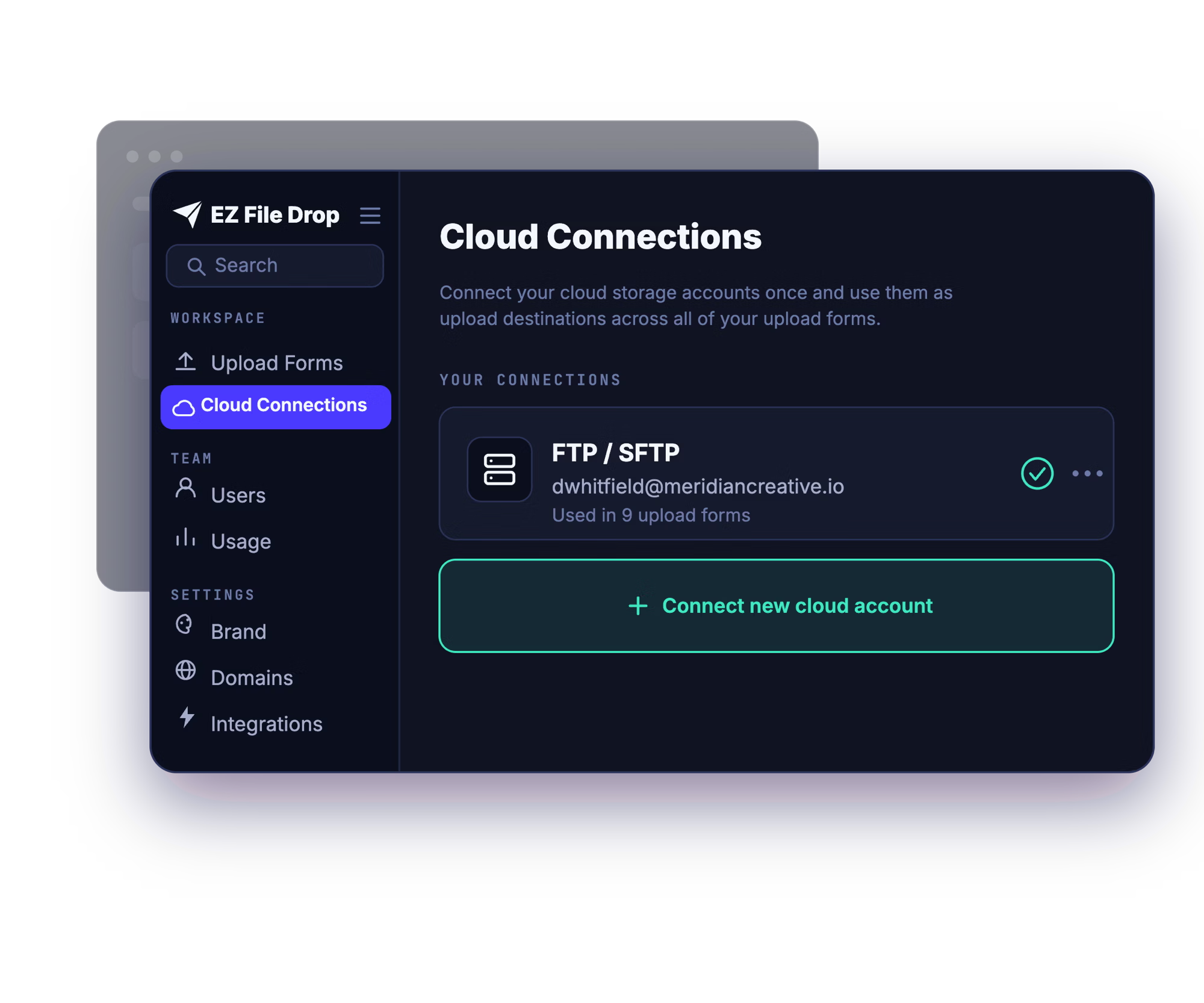
Add your server details
Enter your server address, port, and login, and choose your protocol (FTP, FTPS, or SFTP). EZ File Drop encrypts your credentials and uses them only to deliver files to your server.
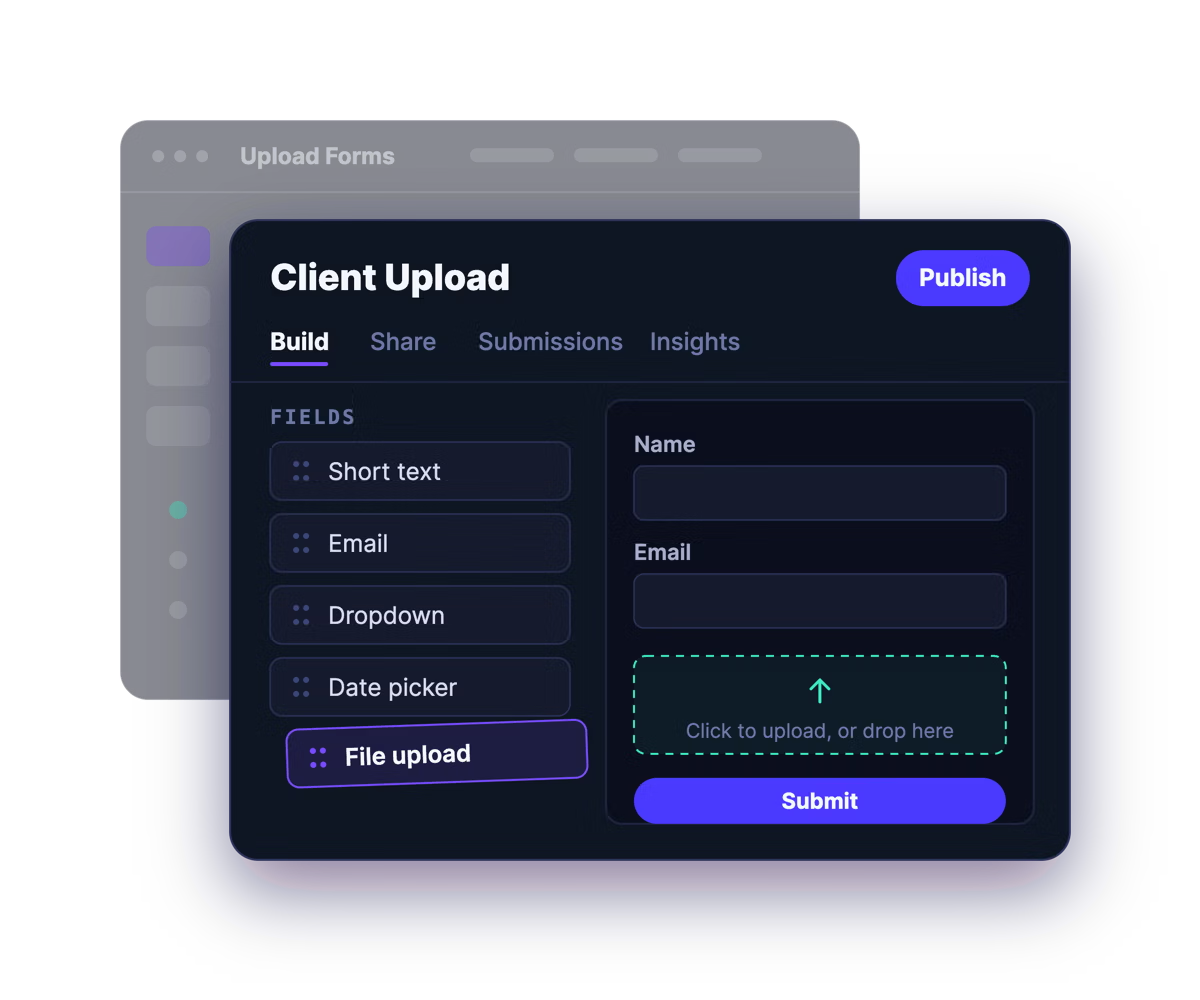
Build a branded upload form
Drag and drop the fields you need, add your logo, colors, and fonts, and write your own instructions. No design or developer help required.
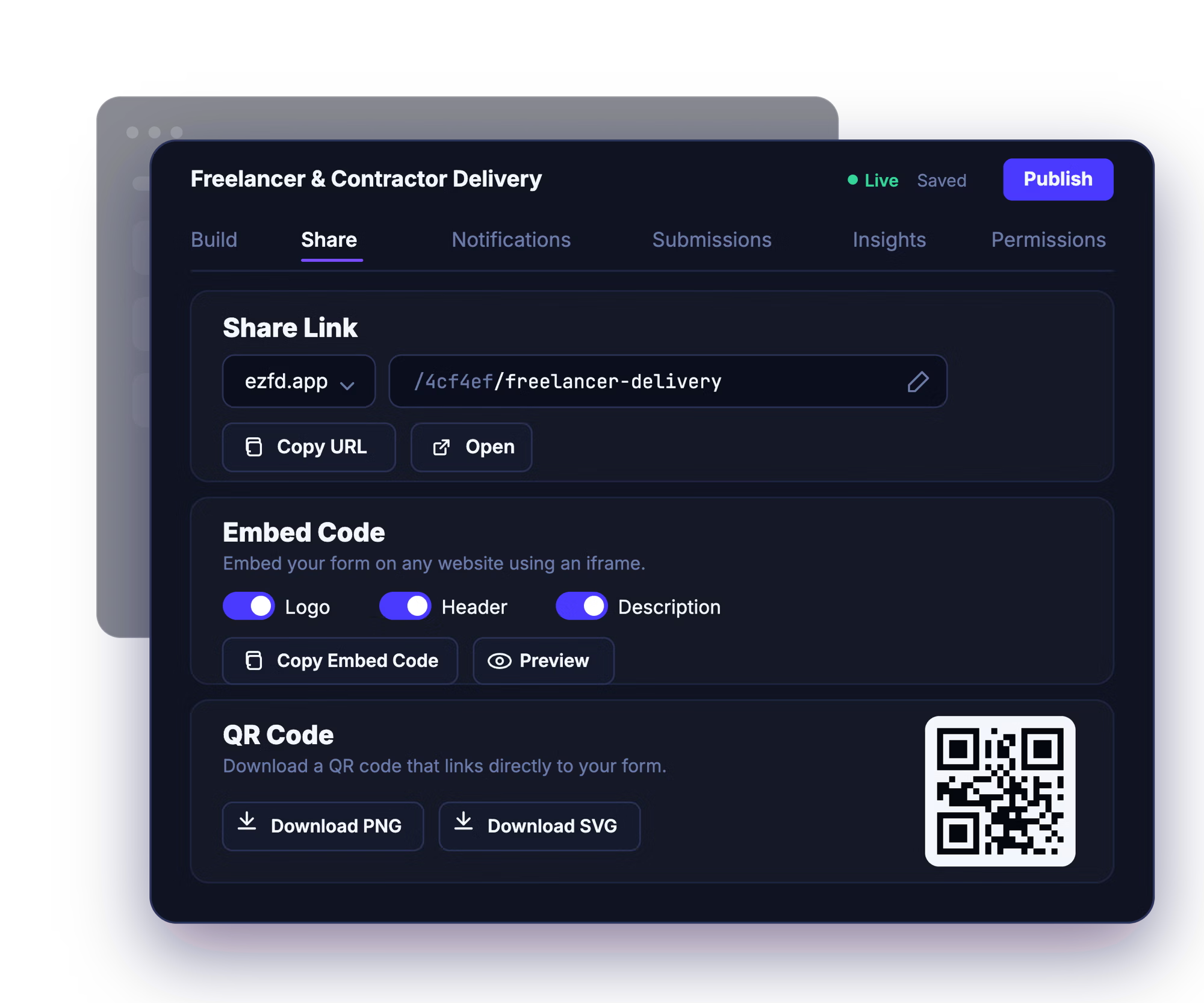
Share the link, embed it, or post the QR code
Send the share link by email, drop the form onto your website, or print the QR code for in-person collection. Uploaders just open it and go.
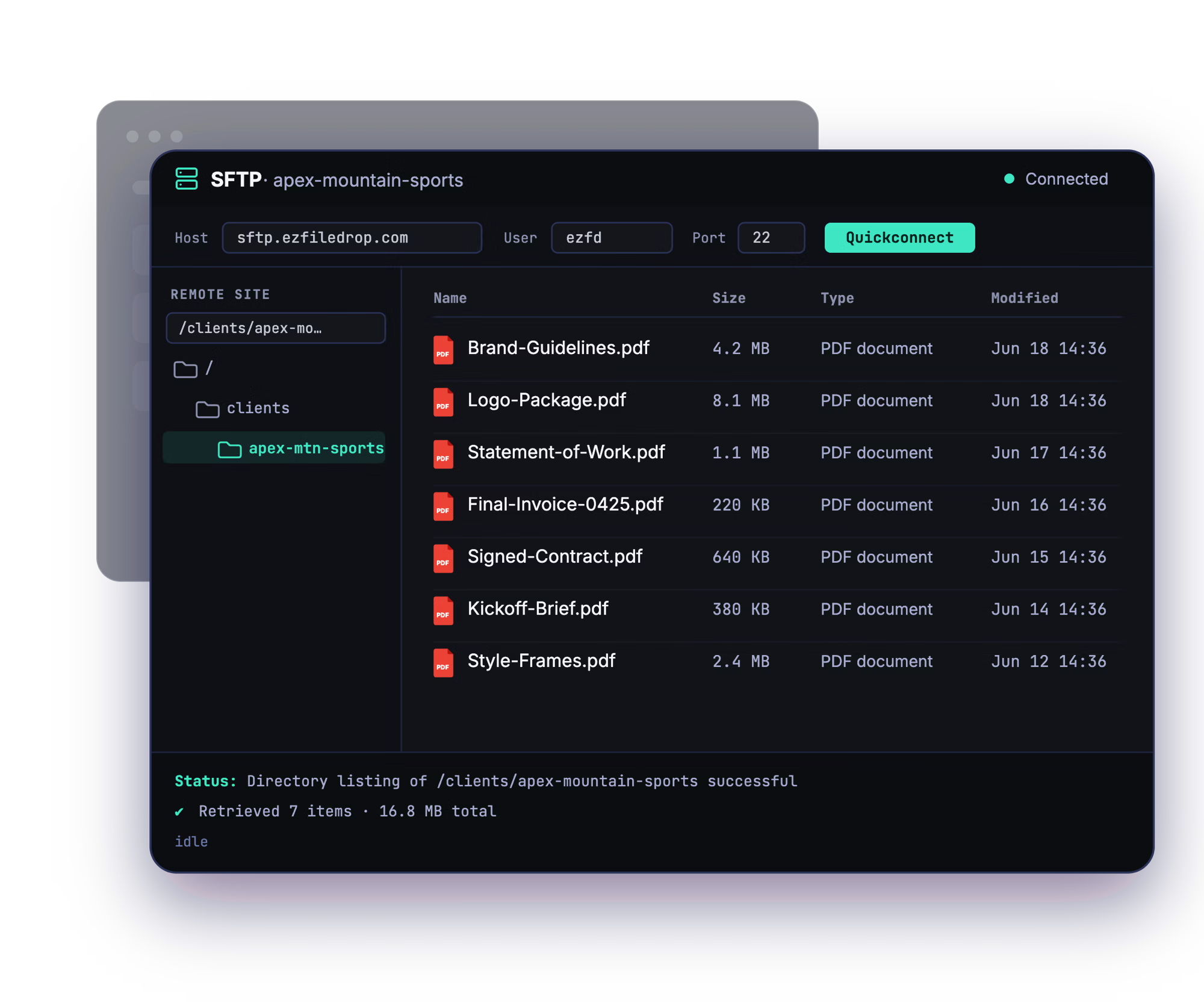
Files arrive on your server
Every submission is delivered to the folder you chose on your FTP or SFTP server, automatically sorted into subfolders by submitter, project, or any form field.
Your clients shouldn't need FTP credentials to send you files.
Handing out FTP access and using EZ File Drop both get files onto your own server. What differs is what the people sending them have to do first.
If you've ever collected files over FTP, you know the routine: create credentials, send them over, walk someone through installing FileZilla, and hope the login doesn't end up somewhere it shouldn't. EZ File Drop puts a branded web form in front of your FTP or SFTP server instead. The people uploading just open a link and drop their files in. No credentials, no client software, no handing out server access.
Whether you hand out FTP access or use EZ File Drop, the files reach your server. The difference is that with a form, nobody outside your team ever holds your credentials, installs anything, or needs to know what SFTP is.
Everything EZ File Drop can do with your server.

Built for teams that already run their own server.
Creative & production teams
Collect deliverables, assets, and project files from freelancers and contributors onto your own server, without handing out FTP logins.
Print & graphics shops
Take in artwork and production files from clients through a branded form instead of emailed attachments or shared FTP credentials.
Engineering & construction
Collect drawings, specs, and project documents from outside partners into the right folder on your server.
And many more…
FAQ

No, and they don't need an EZ File Drop account either. They just open your form link in a browser and drop their files in, with no FTP credentials, no FileZilla or other client software, and no account of any kind. The server connection is yours alone, and the people uploading never touch it.
All three: SFTP, FTPS, and plain FTP. You choose the protocol when you connect your server. We recommend SFTP or FTPS, since both encrypt your credentials and files in transit. Plain FTP works too, but it sends credentials and data unencrypted, so we don't recommend it.
On your own FTP or SFTP server, in the exact folder you chose when you set up the form. Every submission to that form is delivered to that same folder. If a form collects something like a client name or a project number, EZ File Drop can create a subfolder for each one automatically, so files arrive sorted instead of stacking up in one place. See Set up dynamic file organization.
Your password is encrypted with AES-256 before it's ever written to our database, and the encryption key is stored separately, so a database backup on its own can't reveal it. It's decrypted only in memory at the moment a file is delivered to your server, then discarded. It's never shown back to you in the app and never written to logs. You can replace a saved password, but not view it.
Yes, on every plan. You can connect as many FTP and SFTP servers as you want to a single EZ File Drop login and point each form at whichever one it belongs to. Useful if you keep client work on one server and internal work on another. See Connect multiple destinations.
Every form has a submission viewer in your EZ File Drop dashboard, on every plan. You can browse all the submissions to a form, read the form responses attached to each one, and search by person or file name. See View and manage submissions.
Your server must be reachable from the public internet on its FTP, FTPS, or SFTP port. Servers that are only accessible over a VPN, on an internal network, or restricted to allow-listed IPs won't work. For FTP and FTPS, your server also needs to support passive mode with a reachable passive port range.
The uploader's connection to EZ File Drop is encrypted over TLS, and SFTP and FTPS encrypt the handoff to your server in transit. Your server credentials are stored encrypted and used only at delivery time. There's more detail on the security page.
EZ File Drop retries automatically, several times with a growing gap between attempts, which clears most failures without you doing anything. Two situations retries can't fix are server credentials that have changed and a destination folder that's been moved, renamed, or deleted. Failed files stay in staging so you can retry the delivery from your dashboard. See Fix upload errors.
Every plan, including Starter, connects all six cloud destinations, FTP and SFTP included. The features built on top of it are split by plan: dynamic file organization, your own colors, fonts, and logo, and white-labeled forms are on Business and Premium. Full breakdown on the pricing page.
Start collecting files on your own server.
Build your first branded form, connect your FTP or SFTP server, and share the link in minutes.