


Cancel your subscription
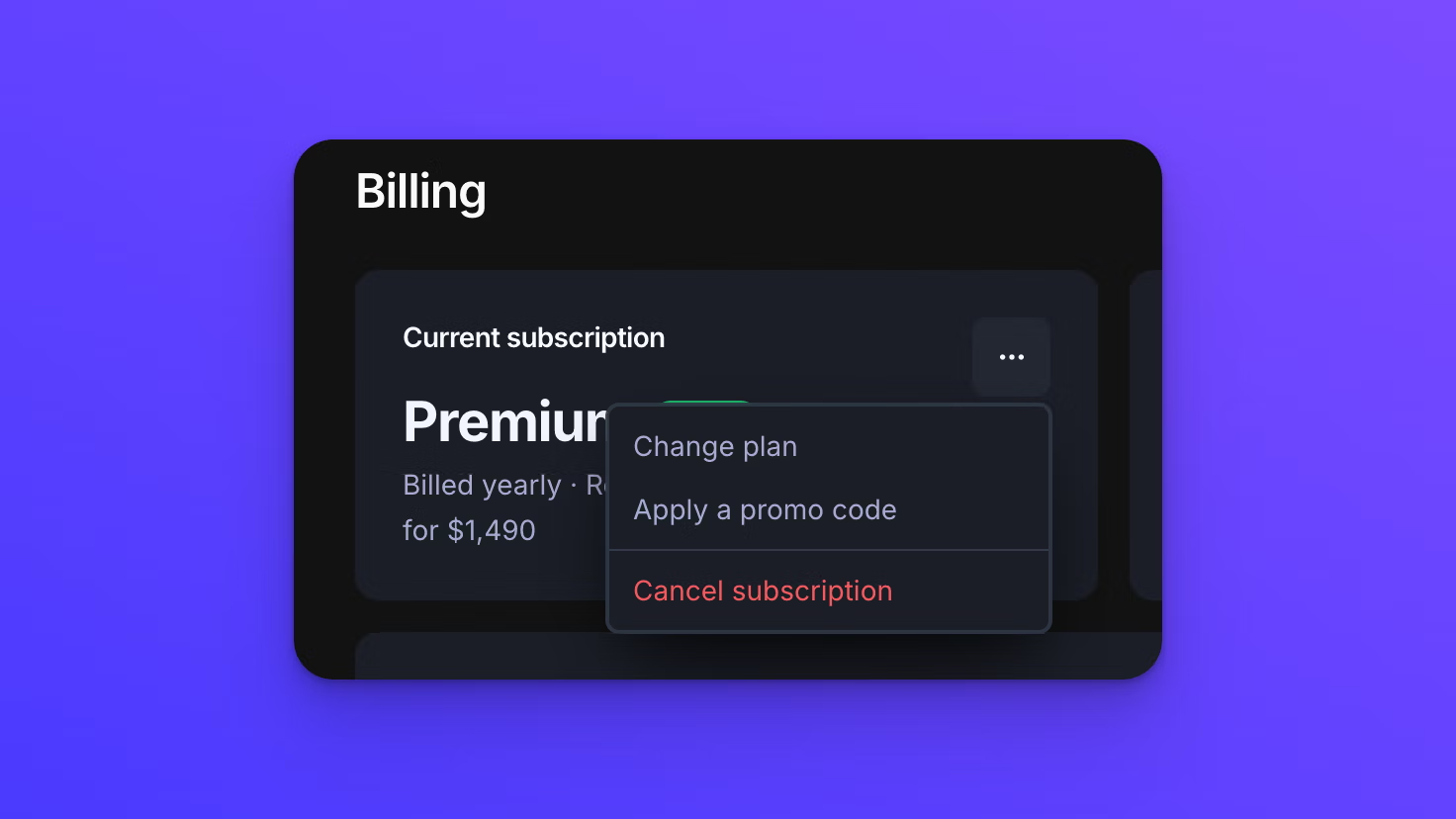
You can cancel your EZ File Drop subscription at any time from the Billing page. Only team owners can cancel.
Cancelling does not delete anything. Your forms, their settings, and your submission history all stay in your account.
Cancel your subscription
- In the left sidebar under ACCOUNT, click Billing.
- Click the three-dot button on the Current subscription card.
- Click Cancel subscription.
- Work through the dialog to the end. The last step asks you to type CANCEL to confirm.
What happens when you cancel
Nothing changes right away. Your subscription stays active and your forms keep accepting submissions through the end of the billing period you have already paid for.
After that date:
- Your upload forms move to "Draft" and stop accepting submissions.
- Your forms, their settings, and your entire submission history stay in your account.
- Your team members are not removed and your account is not deleted.
- Files already delivered to your cloud storage are never affected. They are in your own storage and stay there.
Because nothing is deleted, starting again later is a matter of choosing a plan and publishing your forms again, rather than rebuilding them.
Change your mind before the period ends
You can reactivate at any point before your paid period runs out. Reactivating is offered at the end of the cancellation dialog, and it puts the subscription back on its normal renewal schedule.
The Current subscription card keeps showing the "Active" badge for the whole window between cancelling and your end date. That is expected rather than a sign the cancellation failed. Cancelling schedules an end date instead of stopping the subscription on the spot, so the status does not change until that date arrives.
Start again after the period has ended
Choose a plan from the Billing page. Your forms and submission records are still there. Publish the forms you want live again and they start accepting submissions.
Behavior notes
- Cancelling a subscription is not the same as deleting your account or your team. Cancelling stops the billing and leaves everything in place. Deleting removes the data itself and cannot be undone. Both delete actions live in the Danger zone at the bottom of the Profile page.
- Forms move to "Draft" shortly after your billing period ends rather than at the exact moment it expires.
- Only team owners can cancel. A team member who tries gets "Only team owners can manage billing."