


How bandwidth works
Every EZ File Drop plan includes a monthly upload allowance, and every file that moves through one of your forms counts against it. This page explains how that allowance is measured, where to check it, and what happens when a team goes over.
What counts as bandwidth
Bandwidth is the total size of the files uploaded through your forms in a calendar month. It is counted at the moment the uploader's browser finishes sending the files, before they are delivered to your upload destination.
A submission that fails to reach its upload destination still counts, because the files were uploaded. Retrying a failed transfer does not count a second time, whether the retry happens automatically or you start it yourself. Downloading files from a form's Submissions tab does not count toward bandwidth at all.
Bandwidth is not storage. Files are delivered to your own cloud storage and EZ File Drop does not keep them, so there is no storage quota to manage. The monthly allowance is also a different thing from the size limit on any single submission, which is a per-form setting.
Your monthly allowance
Starter includes 5 GB a month, Business includes 100 GB, and Premium includes 1 TB. The free trial includes 1 GB.
The allowance covers your whole team rather than being divided up per user. Nobody is capped at a fixed personal share, but heavy use on one form or by one user leaves less for everyone else. The allowance resets at the start of each calendar month.
Check your current usage
- In the left sidebar under TEAM, click Usage.
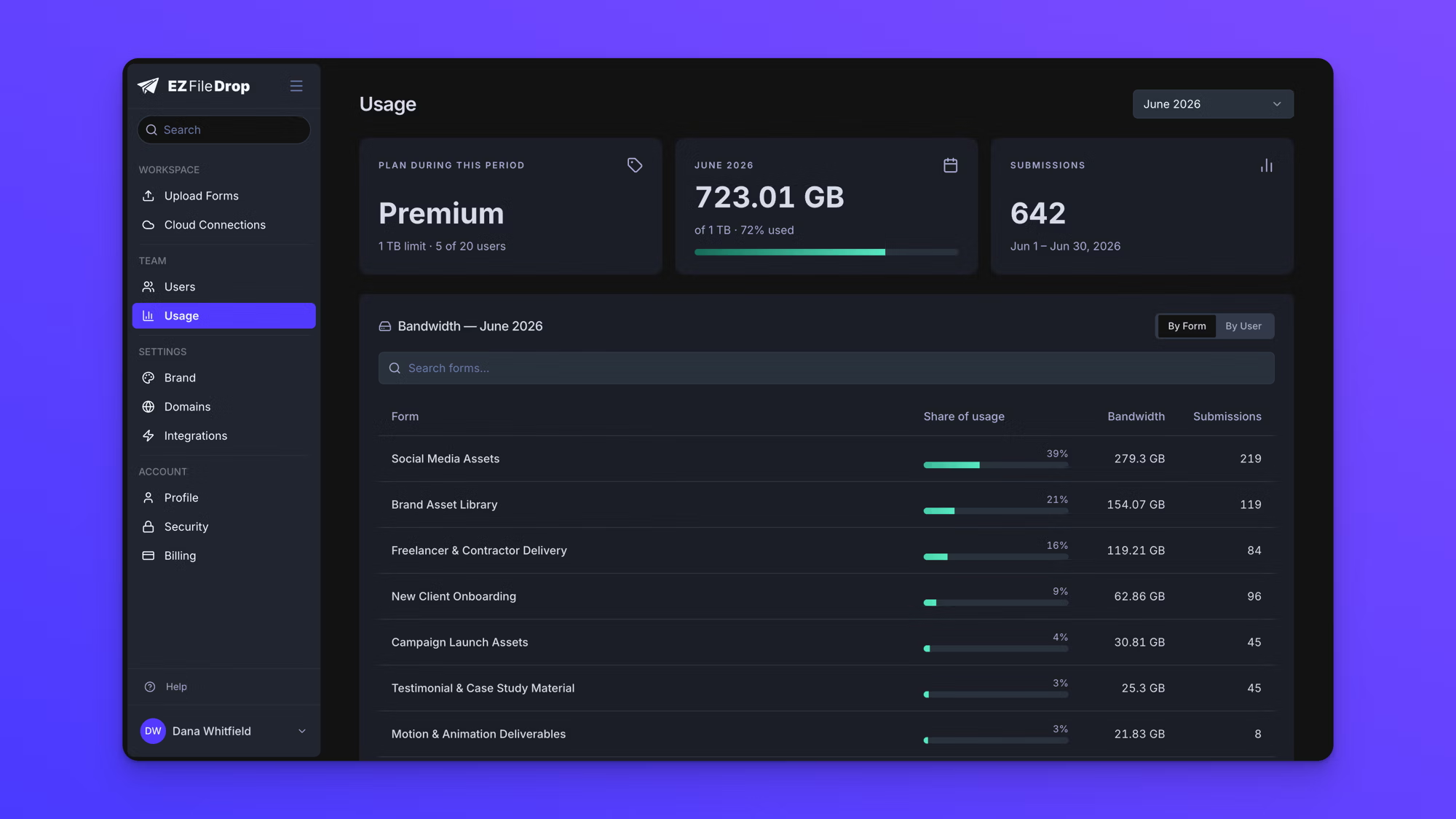
- Read the CURRENT PLAN card for your plan and its monthly limit, and the THIS MONTH card for how much of it has been used.
- Use the month selector at the top right to look at an earlier month.
The month selector goes back 12 months, or to the month your team was created, whichever is more recent.
Everyone on the team can open the Usage page and see the team's total.
See where the usage came from
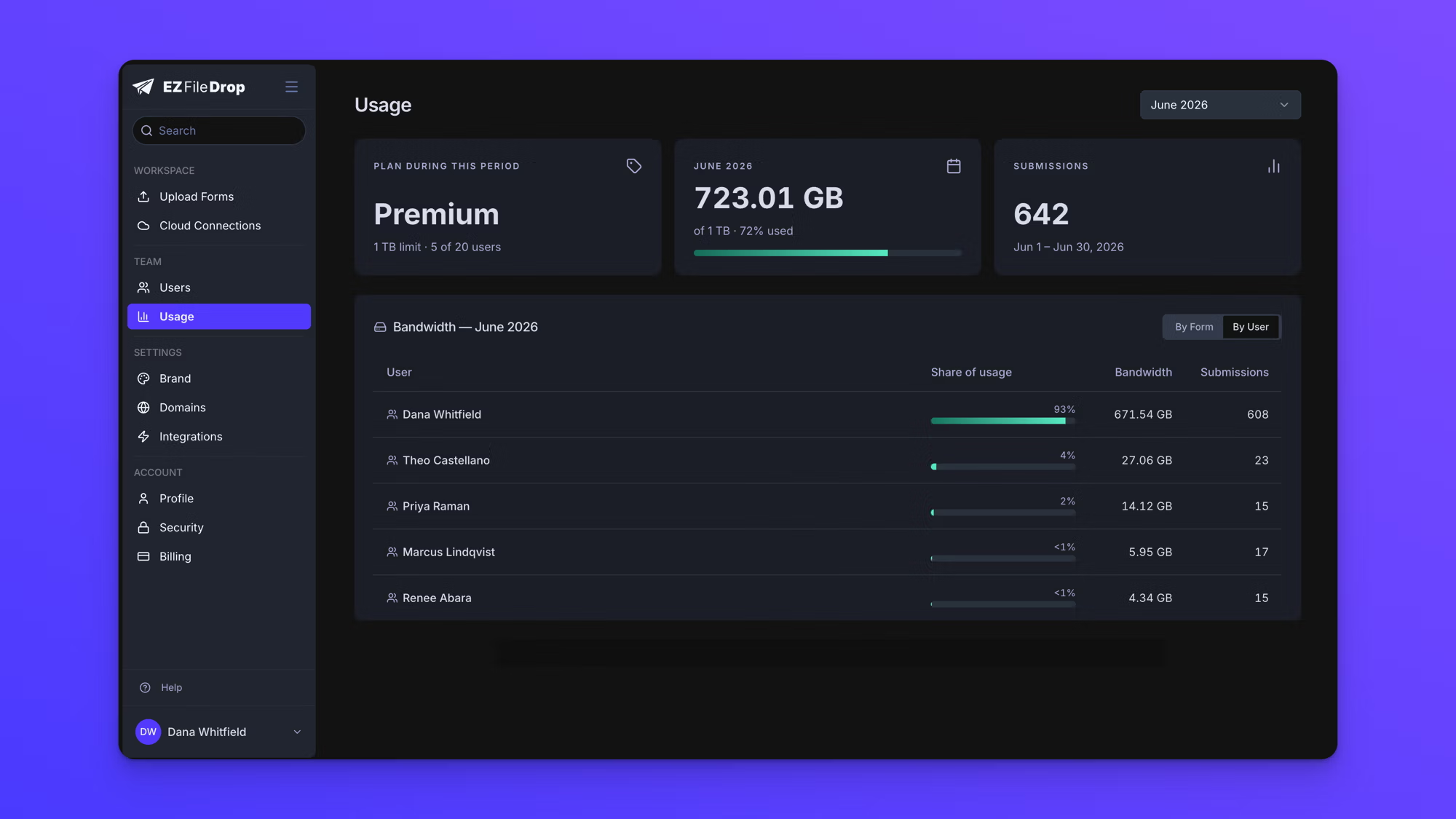
The Bandwidth section below the cards breaks the month down. By Form attributes each form its share and is available to everyone on the team. By User attributes each teammate their share and is available to team owners only.
Each row shows its percentage share of the month's total, the bandwidth it used, and how many submissions it received. The search field filters the list by name.
Both views are scoped to whichever month is selected at the top of the page.
When you approach the limit
EZ File Drop emails your team owners when the team reaches 80% of its monthly allowance, and again when it reaches 100%. Each of those emails is sent once per team per month. Team members do not receive them, so anyone who is not an owner should check the Usage page rather than wait to be told.
When you go over
On a paid plan your forms keep working. Uploads are never paused, throttled, or blocked for going over the monthly allowance. The extra bandwidth is billed at $15 per 50 GB block. If you go over most months, the next plan up often costs less than the overage, so it is worth comparing the plans on the pricing page.
The free trial works differently. Its allowance is a hard limit, and once a trial team reaches it, uploads stop. Anyone opening one of that team's forms sees "This form's account has reached its trial bandwidth limit. The owner needs to upgrade to a paid plan before more files can be uploaded." Choosing a plan lifts the block.
Behavior notes
- The month shown on the Usage page is a calendar month, not your billing cycle. A team that renews on the 17th still sees usage measured from the 1st.
- Bandwidth is counted per team, so moving a form between the private and team workspaces does not change what it contributes.
- Bandwidth already used in a month is not returned when a submission's files are deleted or when a form is deleted.