
Features

EZ File Drop makes receiving files into your cloud storage effortless, from the branded form your uploaders see to the folder the files land in. Here's everything it does.

No credit card required · 7-day Business plan trial

Forms that look like they came from you

Build a form that looks like it lives on your site, not ours. Drag-and-drop the fields you need, add your logo, set your colors and fonts, and rewrite every piece of customer-facing copy. On Business and Premium the form itself carries no EZ File Drop branding at all. Add a custom domain on Premium and your share links and notification emails run on your domain too.

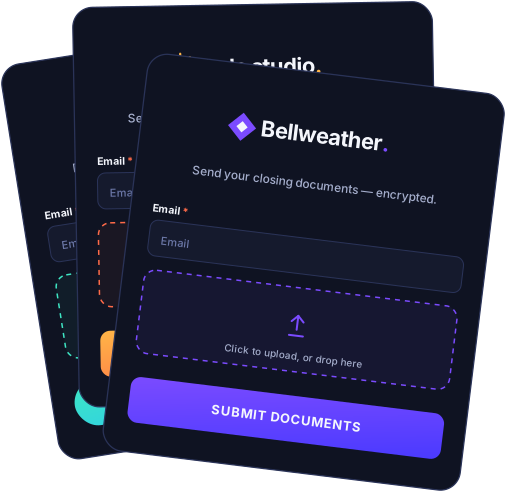
Drag-and-drop form builder.
Add, reorder, and configure fields in seconds.
Form form fields.
Collect the details you need alongside the files. Short and long text, email, phone, number, date, dropdown, multiple choice, checkboxes, rating, file upload, and more.
Layout blocks.
New Page, Heading 1, Heading 2, Title, Text, and Divider. Structure a long form and add static copy between the questions.
Conditional logic.
Show or hide a question based on an earlier answer, so a long intake stays short for each person who fills it out. Business and Premium.
Multi-page forms.
Break long forms into logical steps with progress indicators. Business and Premium.
Custom branding.
Your logo, your colors, your fonts, your success messages. Save brand themes once and apply them to any new form in one click. White-labeled on Business and Premium.
Branded upload forms made with EZ File Drop

Your files are delivered to your cloud, not ours

EZFileDrop Client Upload Email * Email Drag & drop or click to browse Google Drive Dropbox OneDrive SharePoint Box FTP

EZ File Drop isn't a storage product. Every submission is delivered into the cloud account you've connected: Google Drive, Dropbox, OneDrive, SharePoint, Box, or FTP/SFTP. You stay in control of where your files live, who can access them, and how long they're kept. We're a pipeline, not a destination.

Six cloud integrations.
Multi-account routing.
Connect unlimited cloud accounts to a single EZ File Drop login. Each form has its own upload destination, across any combination of providers and accounts.
Choose specific folders.
Point each form at exactly the folder its files should be delivered into.
Dynamic file organization.
Auto-create subfolder layers using form field data, custom text, or any combination. Business and Premium.
File renaming on upload.
Rename submitted files using form responses, dates, custom text, or sequence numbers. Business and Premium.

Get your form in front of uploaders

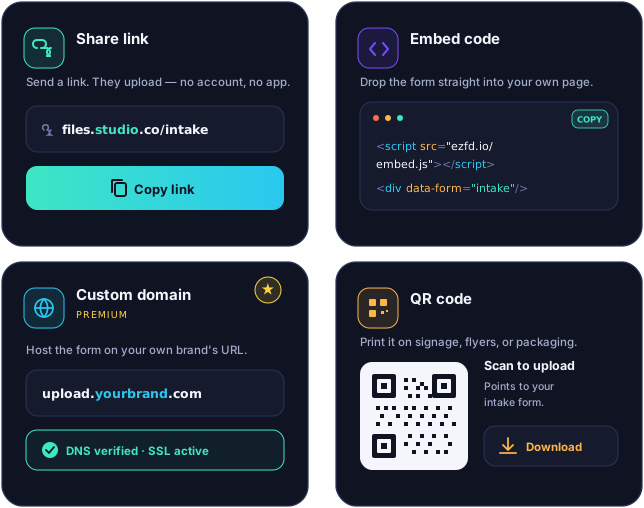
Every form ships with a standalone share link, an embed code, and a built-in QR code — pick whichever fits where you're putting it. On Premium, share links and notification emails can run on your own custom domain so EZ File Drop never appears in the customer-facing experience.

Standalone share link URL.
Every form gets a clean, shareable URL out of the box.
Embed code.
Drop the form into any HTML-capable site. Business and Premium.
Built-in QR codes.
Every form has a QR code with scan tracking baked into analytics.
Custom domains.
Run share links and notification emails on your own domain — uploads.yourcompany.com instead of ezfd.app. Premium.
Customizable share link properties.
Edit page title, description, favicon, and social preview image.
Custom post-submission redirects.
Send uploaders to your own thank-you page, scheduling tool, or next step. Business and Premium.
Share settings for an upload form

Set the rules for what gets uploaded

Forms go out into the world, embedded on sites, shared with clients, posted in places you don't control. Without rules you get spam submissions, files outside the scope of what you asked for, uploads that overrun your monthly allowance, and entries that arrive after a deadline has already passed. Every EZ File Drop form can enforce its own rules to prevent all of that: cap what gets uploaded, decide who can submit, and control when the form is open.

Controls and restrictions
Upload size limits.
5 GB per submission on Starter, 25 GB on Business and Premium. Applies to the whole submission, whether that's one large file or many smaller files combined.
Per-form upload limit override.
Lower the default cap on any individual form. The limit is displayed to uploaders before they submit.
File type restrictions.
Allow or block specific extensions. Business and Premium.
Password-protected forms.
Lock a form behind a password you share with intended uploaders. Business and Premium.
Form scheduling.
Set a future start date and an auto-close date in the same form. Business and Premium.
Submission limits.
Cap submissions by number or by date. Business and Premium.
Draft and publish toggle.
Take a form offline without deleting it.
CAPTCHA.
Reduce spam and automated submissions.
Kiosk Mode.
Run a form on a shared device with auto-reset between submissions. Business and Premium.

See what's coming in

Form insights in EZ File Drop

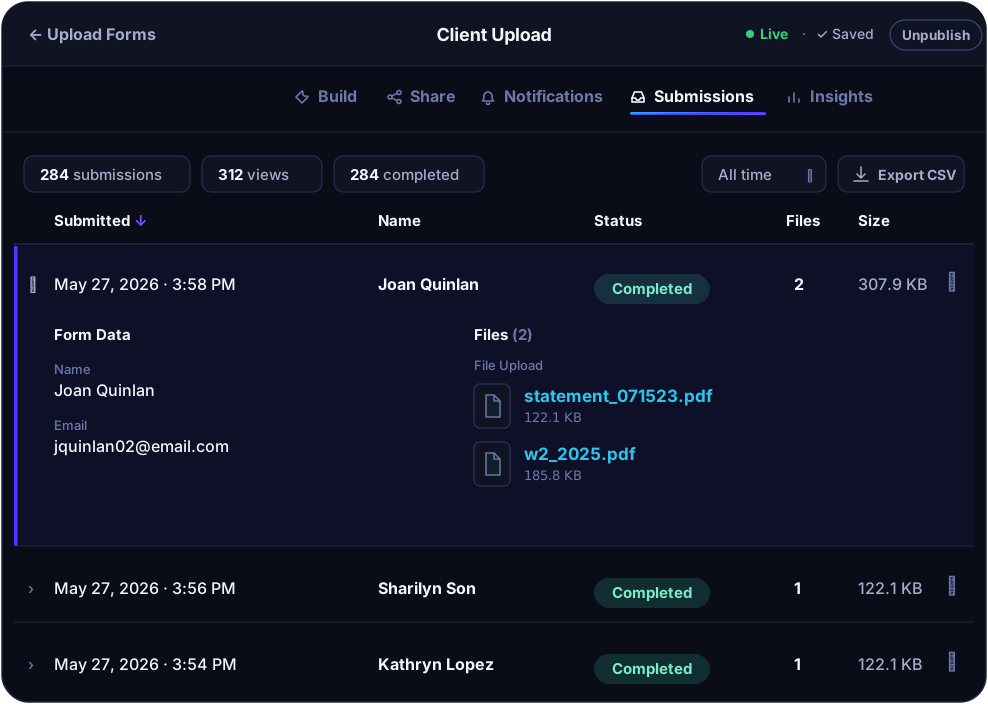
Every submission arrives in a unified inbox you can sort, filter, search, and export. The form insights dashboard tracks views, scans, submissions, conversion rate, and traffic sources, and universal search reaches across every form, submission, and file in your account.

Submissions inbox.
Sort, filter, search, and export to CSV.
Form insights.
Views, QR scans, submissions, conversion rate, traffic sources, devices, browsers, and operating systems.
Google Sheets integration.
When a Google account is connected, submissions can also write to a Google Sheet. Business and Premium.
Universal search.
Search across every form, submission, and file in your account.

Notify the right people, your way

Every form supports three notification groups: the uploader, your team, and third-party recipients. Use the default templates or write your own HTML. On Business and Premium you control the reply-to address and the full email design. On Premium, notifications can also send from an address on your own domain.
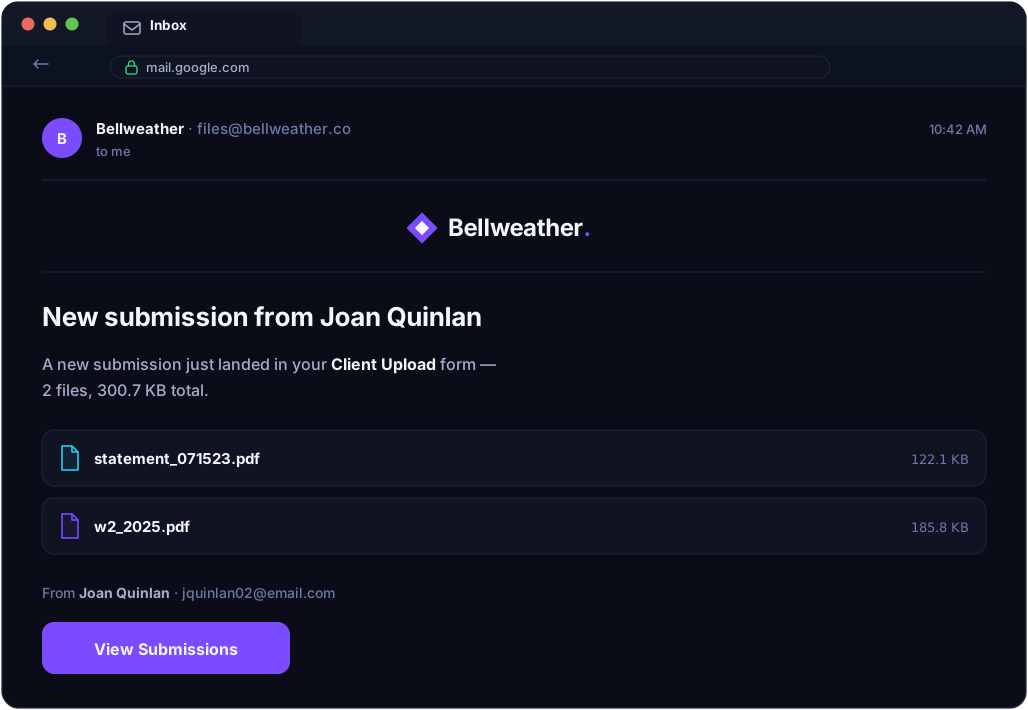
Three recipient groups.
Uploader, team, and third-party. Each configurable per form.
Default or custom templates.
Start with the clean default email design that ships with every account, or write your own HTML to match how the rest of your emails look.
Brandable notifications.
Add your logo, set your colors and fonts, and rewrite every piece of copy so the email feels like it came from your team — not from a third-party tool. Business and Premium.
Custom reply-to addresses.
Route replies wherever they need to go. No custom domain required. Business and Premium.
Custom send-from address.
Send notifications from an address on your own domain, which removes the "via ezfiledrop.com" tag from the recipient's inbox. Requires a custom domain. Premium.
Field variables.
Pull file quantity, form field values, and direct file URLs into any notification.
Custom email notifications in EZ File Drop

Built for teams

Set up a team in EZ File Drop

Starter is a single-user plan. On Business and Premium you can add up to 20 users with no per-seat pricing. Two roles cover the common cases: Owners administer the account, and Members work on the forms they have access to. Granular per-form permissions let each team member see and edit only the forms relevant to their work. Everything in this section is available on Business and Premium.

Up to 20 users
No per-seat fees on Business or Premium.
Owner and Member roles.
Owners administer the account; Members work on assigned forms.
Private and shared forms.
Control who in your team can see and edit each form.
Per-user cloud connections.
Each team member connects their own cloud accounts.
Granular per-form permissions.
Fine-grained access by user, by form.

Plug EZ File Drop into the rest of your stack

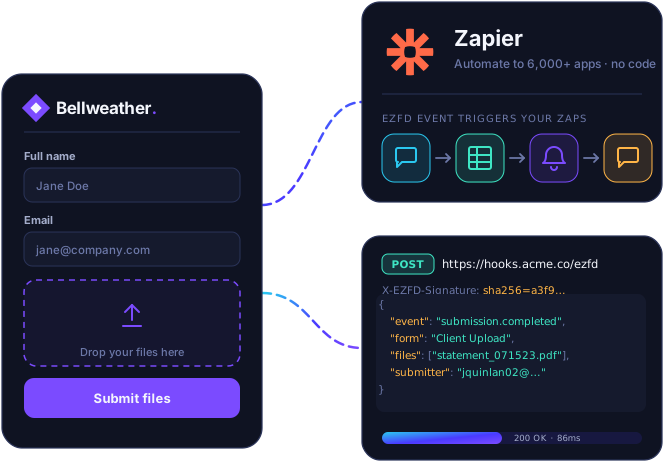
Beyond direct cloud integrations, EZ File Drop connects to Zapier for no-code workflows and supports outbound webhooks for custom developer pipelines.
Zapier.
Connect EZ File Drop to thousands of other apps with no code. A new submission is the trigger. Business and Premium.
Webhooks.
Send submission data to any endpoint you control. Business and Premium.
Integrations in EZ File Drop

How we keep your files safe

EZ File Drop security

We don't store your files long-term. Uploads travel over an encrypted connection into a private staging area on Amazon S3, get delivered to the cloud storage you chose, and the staged copy is removed within about an hour of a confirmed delivery. If a delivery fails, the staged copy is kept so you can retry it from your dashboard for up to 30 days, and we email you seven days before it's removed. Authentication to your cloud is OAuth2, never a password share. Two-factor authentication is available on every plan.

TLS encryption in transit.
OAuth2 cloud authentication.
Two-factor authentication.
Encrypted databases and S3 staging.
No long-term file storage on our servers.

Ready to receive files the easy way?

Try EZ File Drop free for 7 days with full Business plan capabilities. No credit card required. Cancel anytime.