
Collect customer artwork with one link, delivered to your cloud storage.
Customers upload their logos and designs through one branded form, with no account and no file size headaches. Every file is delivered to your Google Drive, Dropbox, or other cloud storage, ready for the job.
No credit card required · 7-day Business plan trial





Customer artwork shouldn't start in your inbox.
Most shops already keep jobs in Google Drive or Dropbox. Getting the customer's files there is the hard part.
Artwork shows up as an email attachment, a text message, a WeTransfer link that expires next week, or a link to some other tool your team has to log into. The files are named logo.png, IMG_4471.jpg, and FINAL banner (2).pdf. A full-size banner or vehicle wrap file can run to hundreds of megabytes, too big for email and for most order forms, so the upload fails and the customer calls to ask whether you got it.
Then someone on your team downloads each file, works out which quote it belongs to, renames it, and drags it into the job folder. Multiply that by every order in a busy week.
And when the wrong file gets printed, it's your shop that reprints it.
Built for any shop that puts a customer’s artwork on something.
Collect customer artwork in three steps.
One branded form for your shop. Customers don’t need an account, an app, or a sign-in.
Build your artwork form
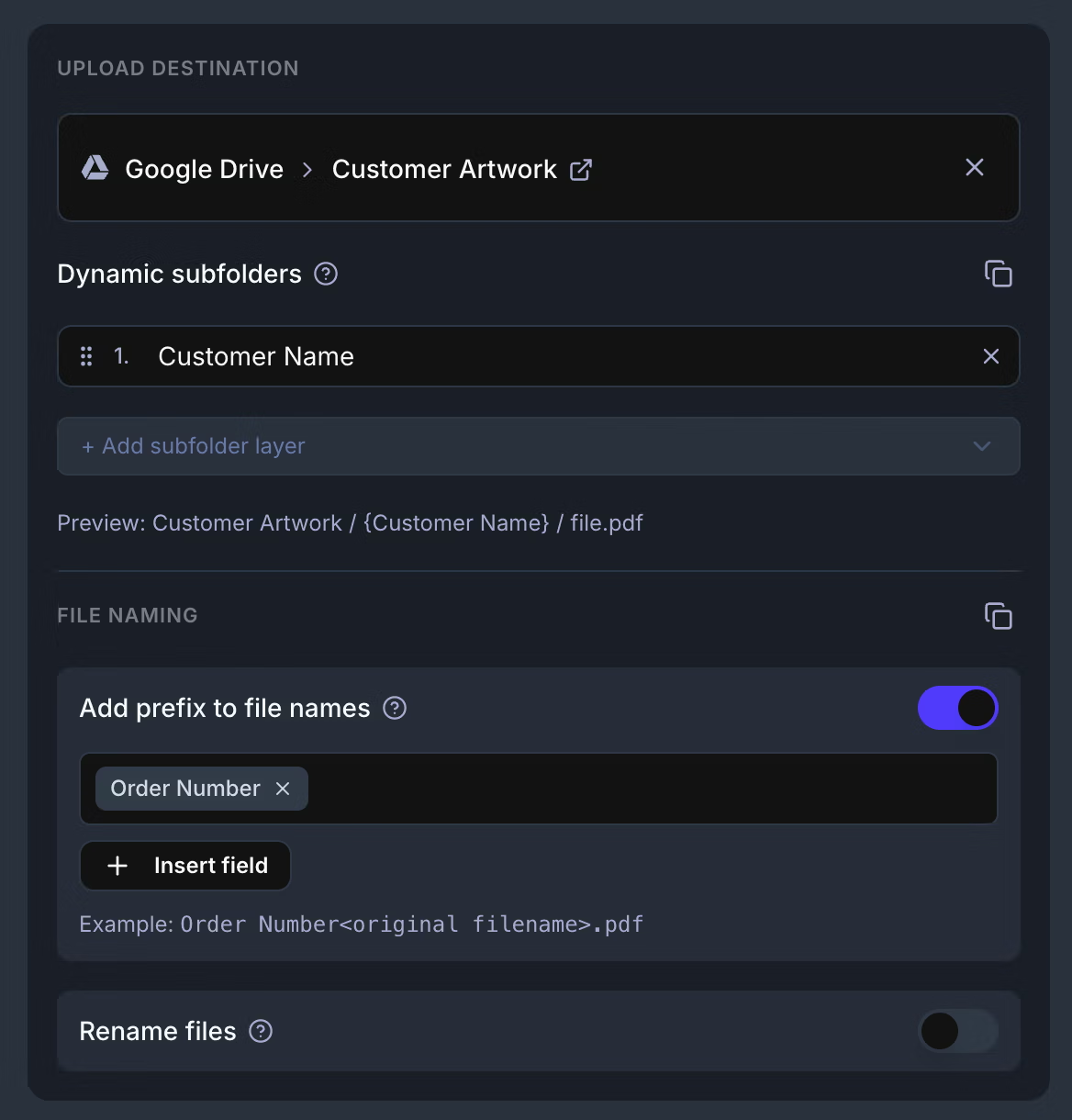
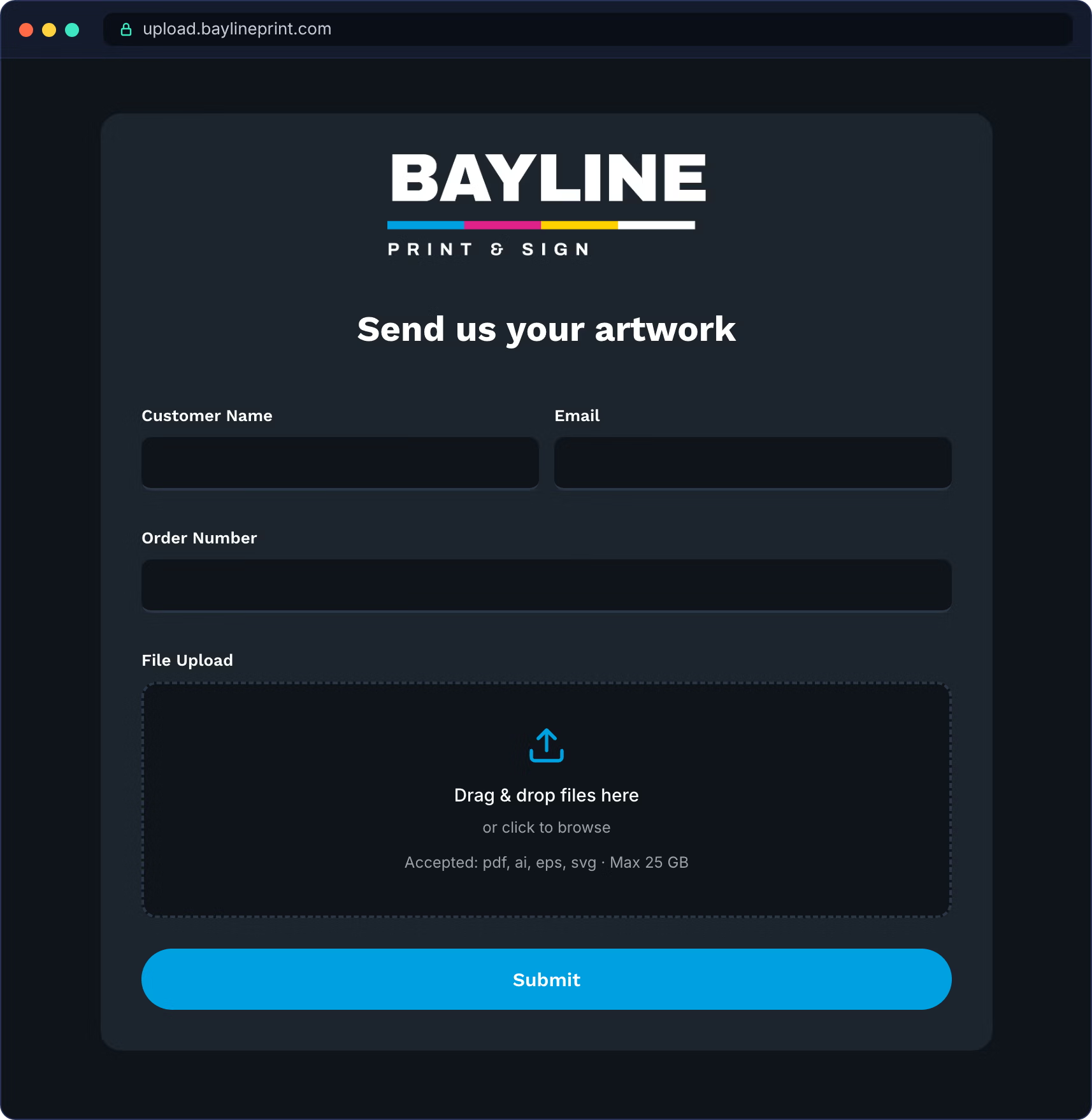
Add the fields you need to print the job, like customer name, email, and order number. Set the upload field to accept only print-ready files, like PDF, AI, EPS, and SVG. Then put the order number in front of every file name, so logo.png arrives as 1042_logo.png, and have each upload filed in a folder named for the customer.
Share one link everywhere customers reach you
Embed the form on your own website, so customers upload on your page with no EZ File Drop branding anywhere. Or share the link in your quote emails and on a QR code at the counter. Customers fill in their details and drop in their files from a phone or a computer.
Artwork is delivered to the right job folder
Every submission is delivered to your Google Drive, Dropbox, OneDrive, SharePoint, Box, or FTP/SFTP server, in a folder for each customer. Your team gets an email with the customer’s answers and a link to each file.
The features print shops actually use.
Big files, no bounces.
Customers can send up to 25 GB in one upload, so a full banner file or a folder of photos never gets stuck in an email.
Only print-ready files.
Set the upload field to accept only the formats you print from, like PDF, AI, EPS, or SVG, so nobody sends a screenshot of their logo.
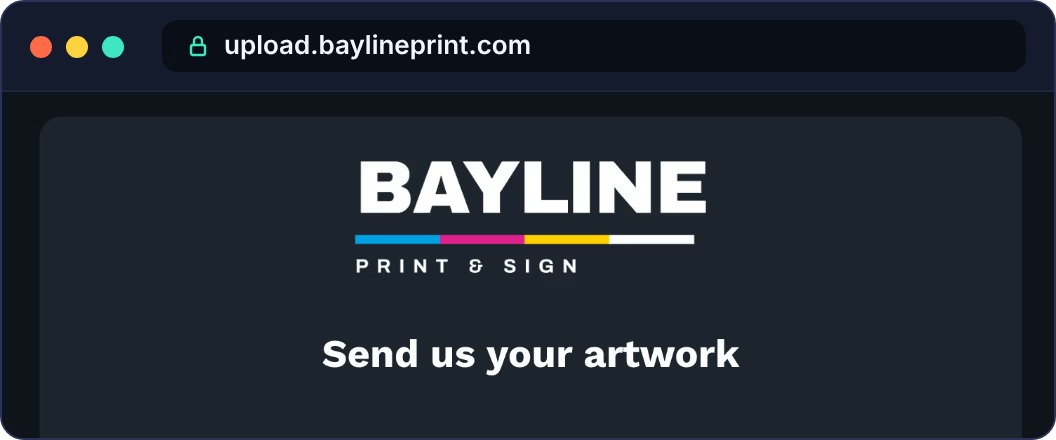
Your shop’s name on the form.
Use your logo and colors, and on Premium, put the form on your own web address, like upload.yourshop.com.
A folder for every customer.
Each upload is delivered into a folder named for the customer, and a repeat customer’s files join the folder that’s already there.
Know the moment artwork arrives.
No more checking the inbox to see if the files came in.
An email for you and your team
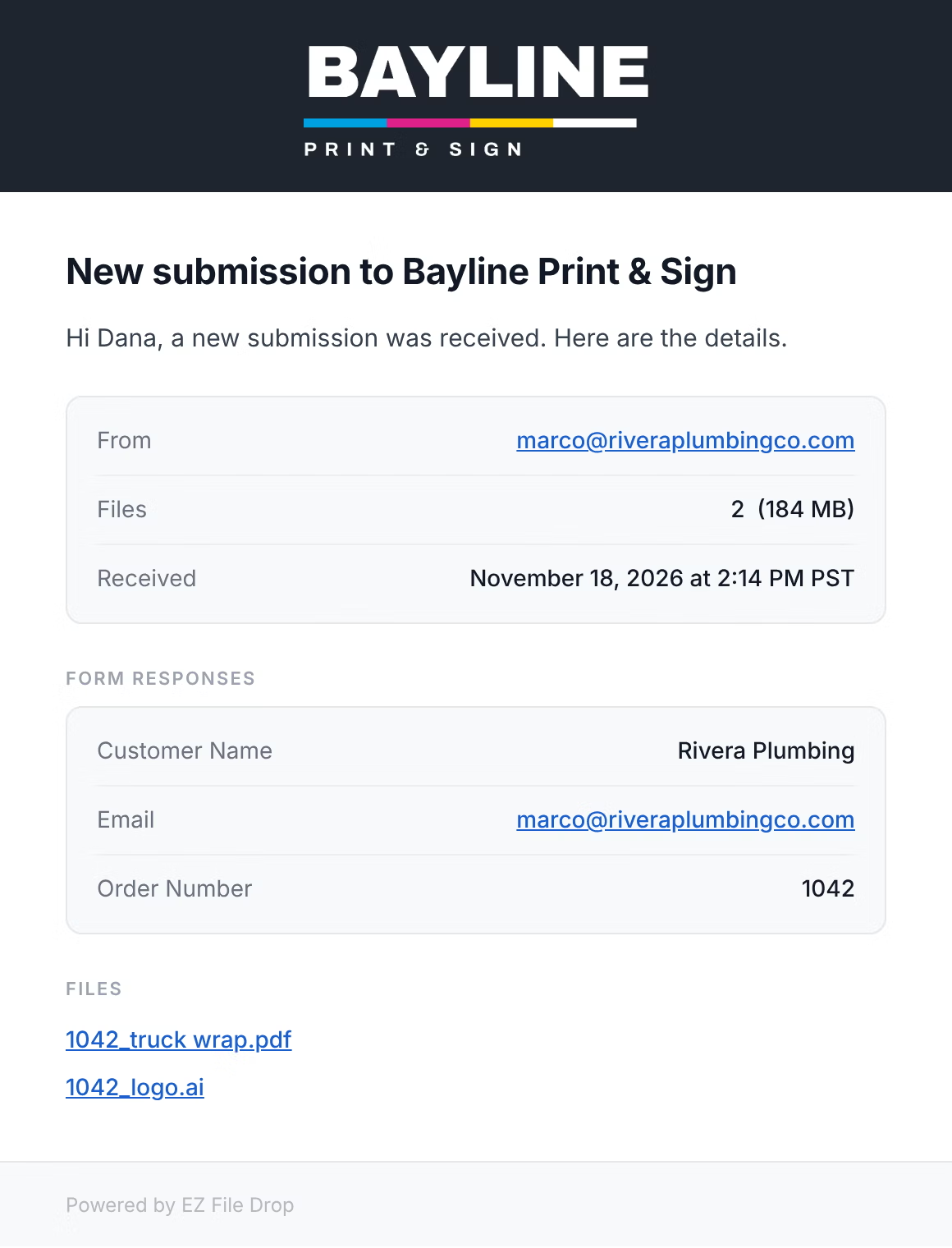
Every upload sends an email to you and anyone on your team you add, with the customer’s answers, the number of files and their total size, and a link to each file.
A copy for anyone else
Add people outside your team, like a designer you work with or a production partner, and they get their own copy of each upload.
A confirmation for your customer
Customers get an email once their files are delivered, so they stop calling to ask whether you got them.
On Business and Premium, emails include your logo, and you can write your own in HTML and send them under your shop’s name.
One link, everywhere your customers already are.
The same form works on your website, in your emails, and at the counter, and every upload goes to the same place.
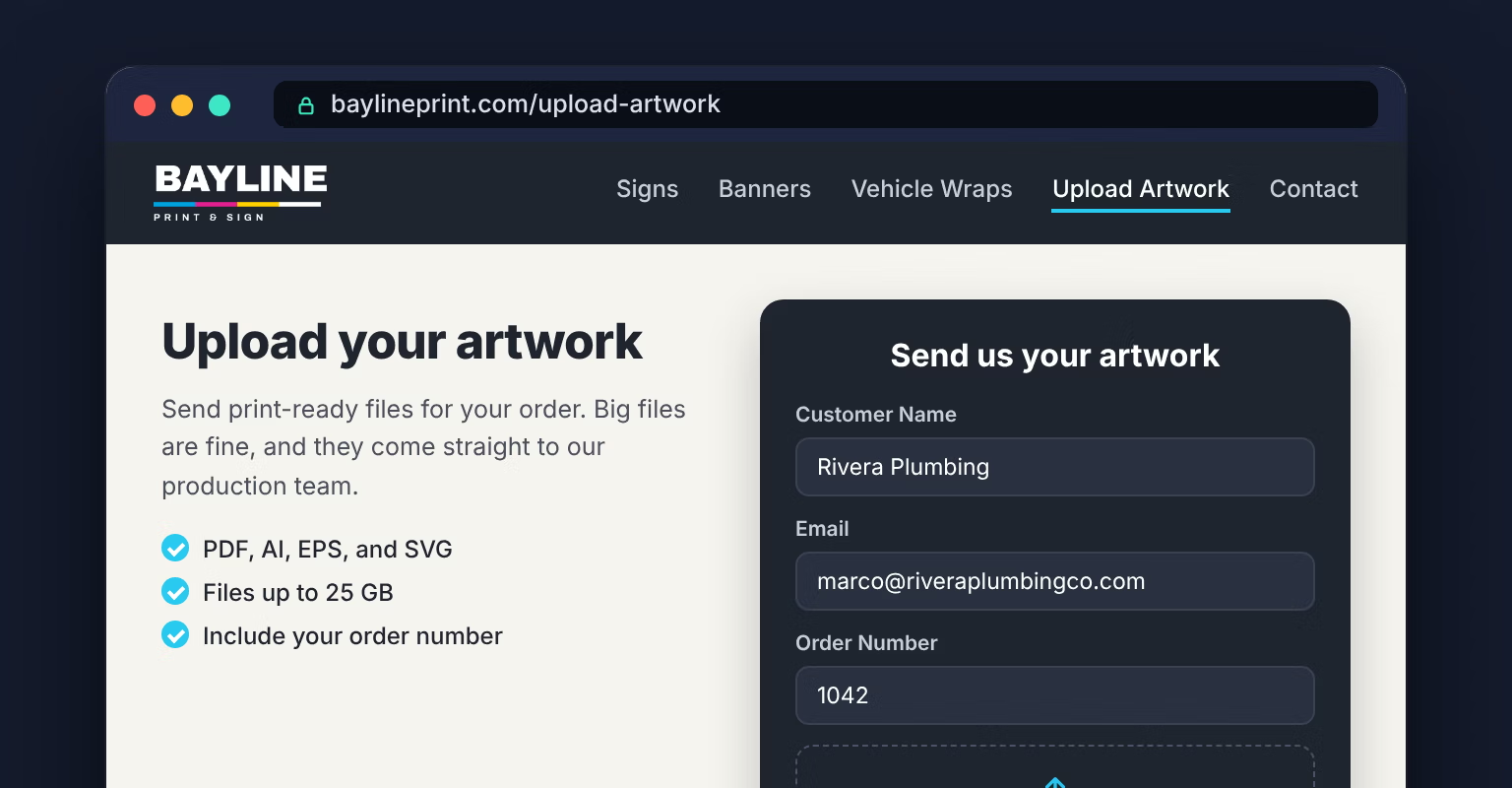
On your website
Embed the form on an “Upload artwork” page, or link a button to it. Works on WordPress, Squarespace, Wix, and Webflow sites.
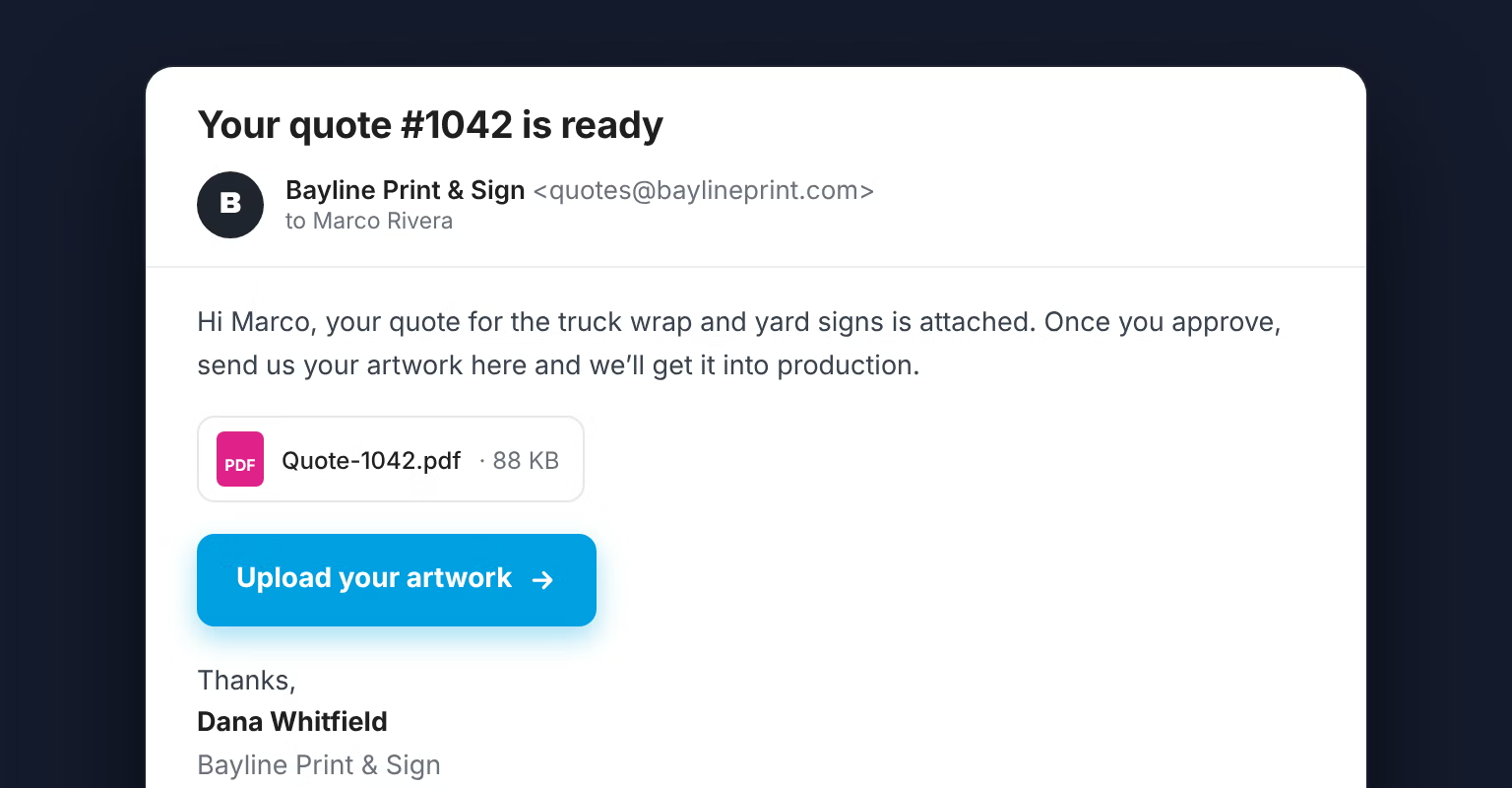
In your quotes and emails
Paste the link into quote emails, invoices, and your email signature, so customers send files the moment they approve.
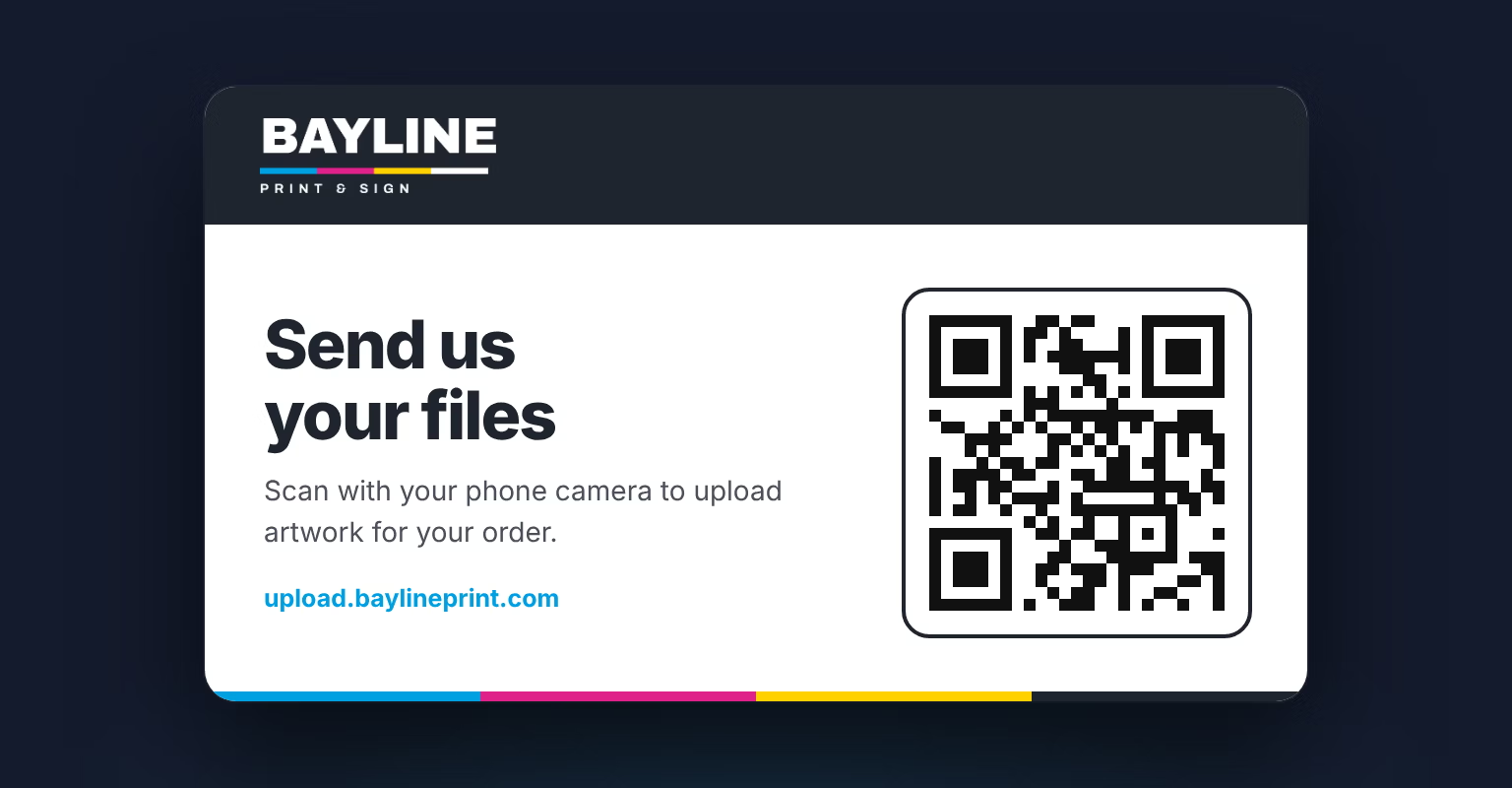
At the counter
Every form comes with a QR code. Print it on a counter card, and walk-in customers can send files from their phone before they leave.
Already took the order? Don’t make them type it again.
Your customer just gave you their name, email, and order number on your order form. With URL Query Parameters, you send them to an upload link with those details already filled in. They add their artwork and submit. Nothing gets typed twice, and nothing gets typed wrong.
Your order system writes the link.
Shopify can put the order number and email into a link in its order confirmation email. Form builders like Jotform and Gravity Forms can send customers straight to your upload form, already filled in, the moment they submit their order. For other systems, Zapier can build the link from each new order and email it.
You decide what the customer sees.
Each URL query parameter fills one field, and you choose whether that field stays editable, is locked so it can’t be changed, or is hidden completely. The order number can travel along unseen, while the customer’s name shows so they know the form is theirs.
The details name the files and folders.
The order number goes on the front of every file name, and the customer name picks the folder, spelled exactly the way your order system has it.
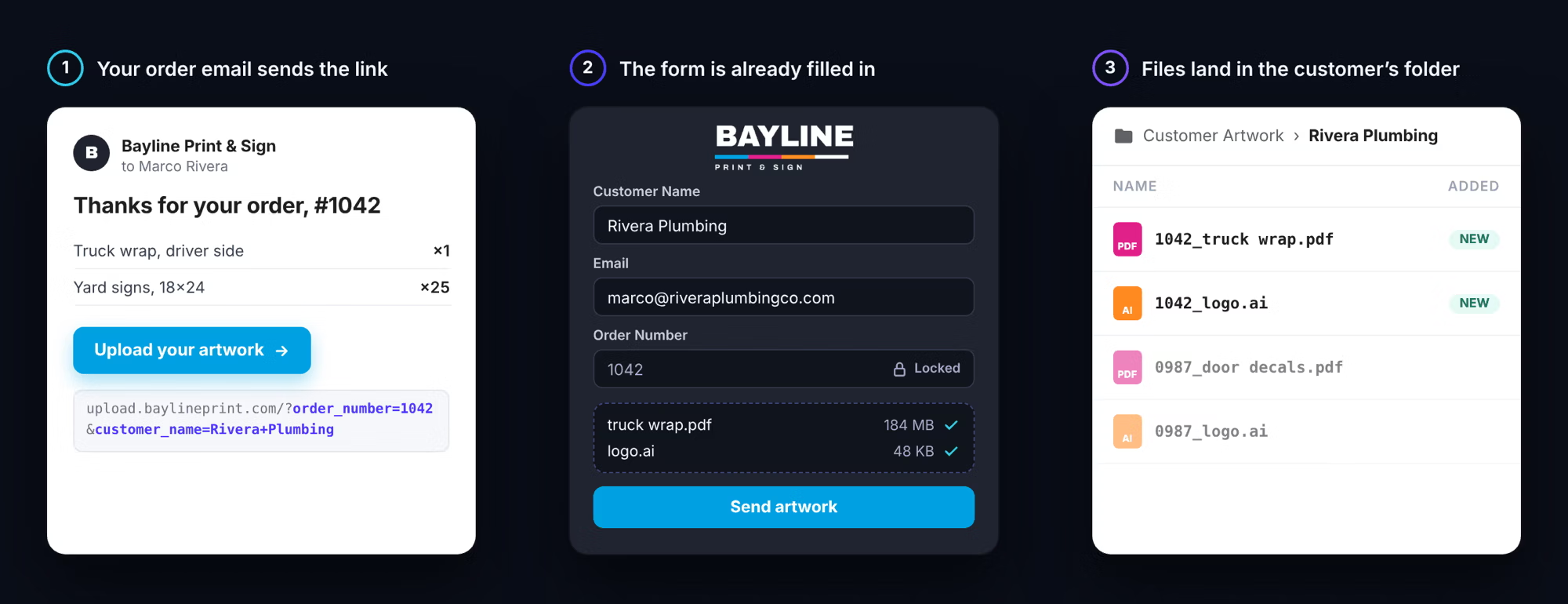
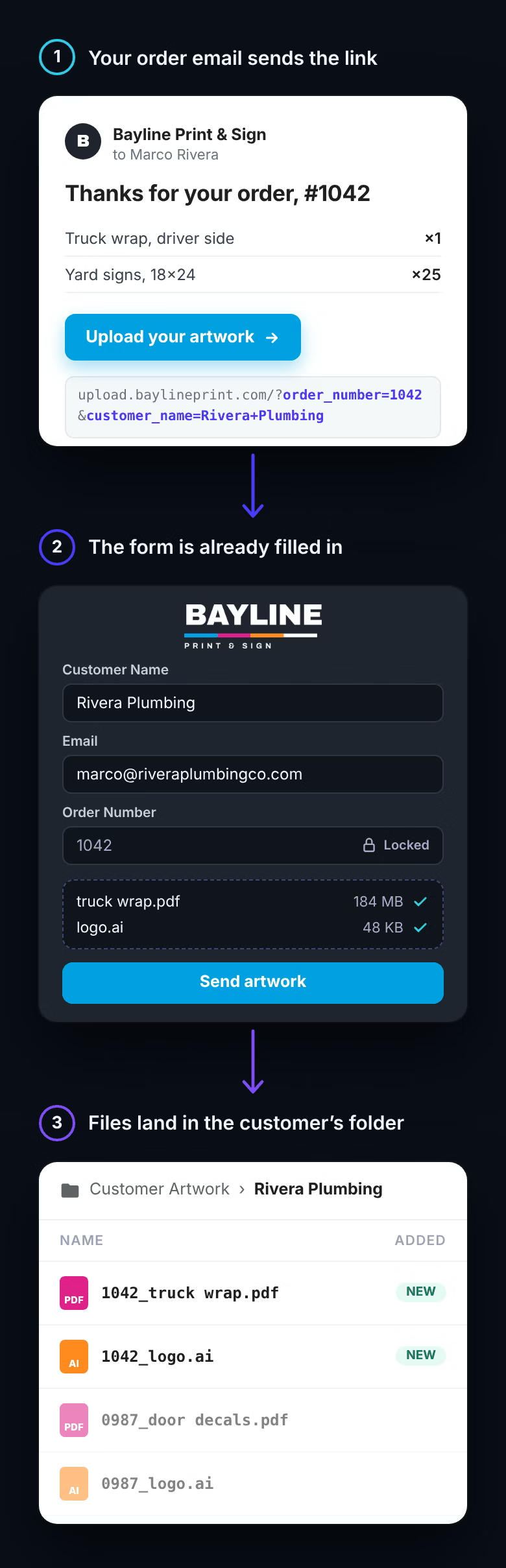
URL Query Parameters work on your share link and on forms embedded on your website.
FAQ
Do my customers need an account to upload?

No. They open the link, fill in their details, add their files, and submit. There's nothing to install or sign into, and it works on a phone.
Where do the files go?
To the cloud storage you already use: Google Drive, Dropbox, OneDrive, SharePoint, Box, or your own FTP/SFTP server. You connect it once, and every upload is delivered to the folder you pick. Your team can open the files there without an EZ File Drop account.
How large a file can a customer send?
Up to 25 GB per submission on Business and Premium, and 5 GB on Starter. That's the total for everything sent at once. If you need more, email our support team and we can raise your limit at no charge.
Can I make customers send print-ready files only?
Yes, on Business and Premium. Set the upload field to accept only the formats you want, like PDF, AI, EPS, and SVG. Say so in the form's instructions, so customers know before they start. See Restrict file types and set upload limits.
Can files be named with the order number?
Yes, on Business and Premium. Add an Order Number field to the form, then put its answer in front of each file name, so logo.png arrives as 1042_logo.png. You can also build the whole file name from the customer's answers. If a customer sends a second file with the same name, it's saved as -2 instead of replacing the first. See Rename incoming files.
Can each customer get their own folder?
Yes, on Business and Premium. The customer types their name or company, and their files are delivered to a folder with that name. If the folder already exists, new files join it. Folder names match exactly, so "Rivera Plumbing" and "Rivera Plumbing Inc" make two folders. To keep them consistent, pre-fill the customer name from your order system. See Set up dynamic file organization.
Can my order system fill in the form for the customer?
Yes, on Business and Premium, with URL Query Parameters. Add the order number, customer name, or any other answer to the end of your form's link, and the form opens with those fields filled in. Shopify can build that link in its order confirmation email, and form builders like Jotform and Gravity Forms can send customers straight to it when they submit an order. For other systems, Zapier can build it. Each field can stay editable, be locked, or be hidden, and its answer still names the files and folders. See Pre-fill forms with URL query parameters.
Can I put the form on my website?
Yes, on Business and Premium. Embed it on a page of your site with a copy-paste snippet, and customers upload without leaving your site or seeing EZ File Drop's name. It works on WordPress, Squarespace, Wix, and Webflow. Every plan also gets a share link and a QR code for each form. See Embed a form on your website.
I sell on Etsy. Can I use this?
Yes. Add your upload link to the Message to Buyers in your Etsy shop settings, and Etsy includes it on the receipt page and in the order confirmation email. Ask customers to enter their Etsy order number on the form, and use it to name their files. Etsy doesn't add order details to that message, so the form can't be pre-filled from an Etsy order.
Will it look like my shop?
Yes. Style the form in your colors, and on Business and Premium, add your logo and remove EZ File Drop's branding. On Premium, you can put the form on your own web address, like upload.yourshop.com. See Style your form and Set up a custom domain.
Who gets told when artwork comes in?
You and anyone on your team you add get an email for each submission, with the customer's answers and a link to each file. You can also add people outside your team, like a designer you work with, and they get their own copy. The customer gets a confirmation once their files are delivered, as long as the form has an Email field. See Set up email notifications.
Can my whole team use one account?
Yes, on Business and Premium, you can add up to 20 users and choose who can see and edit each form. See Manage users.
I already use Printavo or shopVOX. Do I still need this?
If your artwork still arrives by email or WeTransfer, yes. Keep Printavo, shopVOX, or whatever runs your shop for quotes, proofs, and scheduling, and use EZ File Drop to collect the files. Put your upload link in your quote emails, and customers send their artwork with no login. Every file is delivered to your Google Drive, Dropbox, or other cloud storage, ready to attach to the job. On Business and Premium, customers can send up to 25 GB at a time, and each file is named with the order number.
Which plan do I need?
Starter covers a simple upload link with no file type limits or renaming. Business adds print-ready file limits, renaming, customer folders, your logo, embedding, Google Sheets, and team access, with 100 GB of uploads a month. Premium adds your own web address and 1 TB a month. New accounts start with a 7-day Business trial. See How bandwidth works and the pricing page.
Get every customer's artwork in the right folder before the job starts.
Build one artwork form, connect the cloud storage you already use, and put the link on your website, your quotes, and your counter. Your team stops digging through email, and every file is ready when the job is.