
Nonprofit Data Migration: Move Everything but the Mess
Nobody likes moving. You do it because the payoff outweighs the pain of the process. Nonprofit data works the same way. The donor database has been limping along since three admins ago. The website can't talk to the registration system, so the same information gets typed in twice, sometimes three times. The reports don't match. Everyone knows it needs to change, and everyone dreads the change, so it waits another year.
When an organization finally decides it can't wait anymore, a nonprofit data migration usually starts with a call to someone like Toby Weiss. And the first thing he'll tell you is that the job in front of you is not the job you think it is.
Most people assume the work is a technical problem: take what's in the old system, move it to the new one, flip the switch. Toby and his team at Rooted Software, an IT and data consultancy for nonprofits and ministries, see it differently. A migration isn't a copy-and-paste. It's a move. And the hard part of any move was never carrying the boxes. It's standing in the kitchen deciding what's worth keeping, and how to organize it once it's in the new place.
He learned nonprofit data migration from the inside
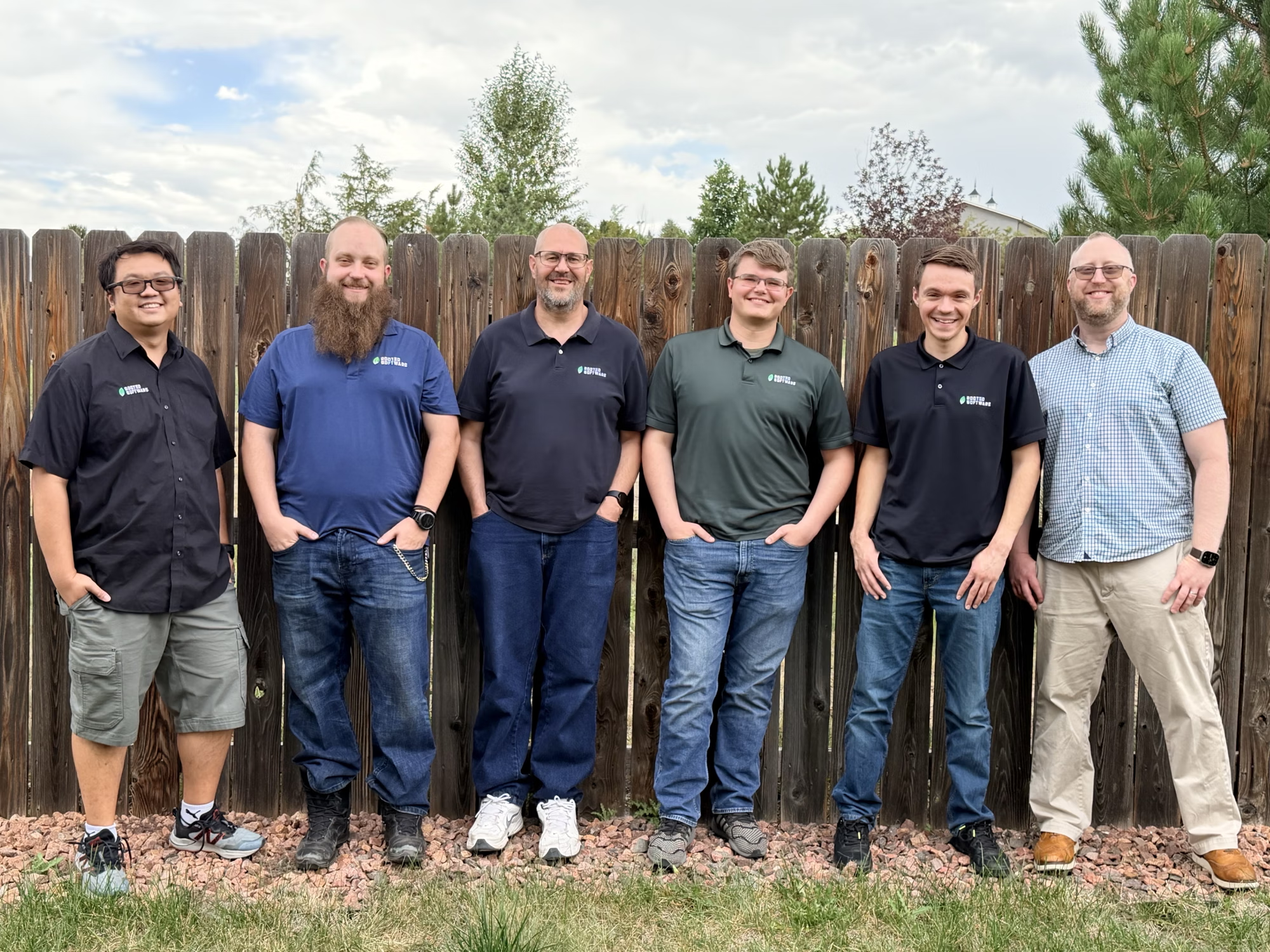
Toby didn't come by his expertise from the outside looking in. He earned it over years of living the same problems his clients bring him now. He spent roughly fourteen years as global CIO of Jews for Jesus, an international ministry, where he built an IT department from scratch, led system selections and implementations, and at one point steered a database migration that stretched across a dozen countries.
"It was the best education for Rooted that I could ever have dreamed of," he says. "I really just learned everything by doing it, probably making a bunch of mistakes, and then doing it again and again."
He started Rooted Software in 2021 with a specific kind of client in mind. The company's reason for existing is to help followers of Jesus use technology effectively, and it works mostly with churches, ministries, Christian schools, rescue missions, and other nonprofits. Five years in, that's grown to more than 150 organizations across the U.S. and Canada.
Toby co-founded Rooted with its CTO, Joshua Bechard, and runs it today with a distributed team. It is anchored in Walnut Creek, California and Colorado Springs, Colorado, and includes remote staff in every U.S. time zone. The company does three kinds of work. It runs an organization's everyday technology as an outsourced IT department, covering security, support, and the unglamorous plumbing that keeps a place online. It helps organizations choose and set up the right systems, especially the donor and CRM platforms a nonprofit lives or dies by. And when nothing off the shelf fits, it builds custom applications and the integrations that get separate systems talking to each other. A client can hand over all of it or just one piece, and either way gets a team that already knows how mission-driven organizations actually run.
The mission shapes the method. Rooted's cultural values are fidelity, compassion, and intentionality, and Toby defines compassion in a way that sounds almost odd coming from a technology company: "We care about people more than technology." He says it to every new hire and repeats it to his team as often as he can. When someone calls in a panic because their computer is practically smoking and their document is gone, "we're helping the people first, we're fixing the computer second. Tools are there to serve people, not the other way around."
Start with the people, not the platform
Putting people before tools is where Rooted's approach separates from most IT shops. Toby is convinced that the majority of his clients don't actually have a technology problem. They have a strategy problem. The tech is just where the pain finally shows up.
So when a new client reaches out, he doesn't open with a product. He opens with questions. What is the organization trying to do? Where is communication breaking down? Where are people entering the same data twice? What isn't getting reported that should be?
"I'm not going to come into that conversation saying the answer is this piece of technology," he says. "We don't want to start with the systems, then fix the processes, and think about the people at the very end. It should be the other way around."
A recent call makes it concrete. An executive director reached out, overwhelmed. Her systems didn't talk to each other. Anyone registering on the website triggered triple data entry. The organization was running on an Access database built around 1995 and a website nobody on staff could edit, and it had no CRM at all. She didn't want a menu of options. "Can you guys just figure it out and fix it for me?" she asked. Rooted will help her choose an event system and a CRM, implement everything, and hand back the staff hours she's been pouring into manual entry. Toby estimates their solution will save her team more than a hundred hours a week.
None of that can start, though, until the data is actually in Rooted's hands. And that turns out to be its own problem.
First, you have to get the keys
Nothing happens on moving day until someone hands over the keys and lets you into the house. For a nonprofit, that means handing over its single most sensitive asset.
"Their data is their most sensitive stuff," Toby says. "They run on donors and donations and event registrations. That's their data, and we're stewards of it." Rooted signs data protection agreements and NDAs before anything changes hands. Once the data arrives, it lives in a locked-down SharePoint environment behind multi-factor authentication.
Getting it there used to be the worst part of the whole process. Nonprofit staff are mission people, not technical people, and the old options asked too much of them. For a while Rooted ran an FTP server. "People don't know how to use an FTP server," Toby says, "so we'd have to tell them, here's FileZilla." Picture asking a volunteer development director to install file-transfer software and type in server credentials. The fallback was SharePoint, which meant a login and an interface they'd never seen. And every one of those tools had size limits that a full database backup, sometimes fifty gigabytes of it, would blow right past.
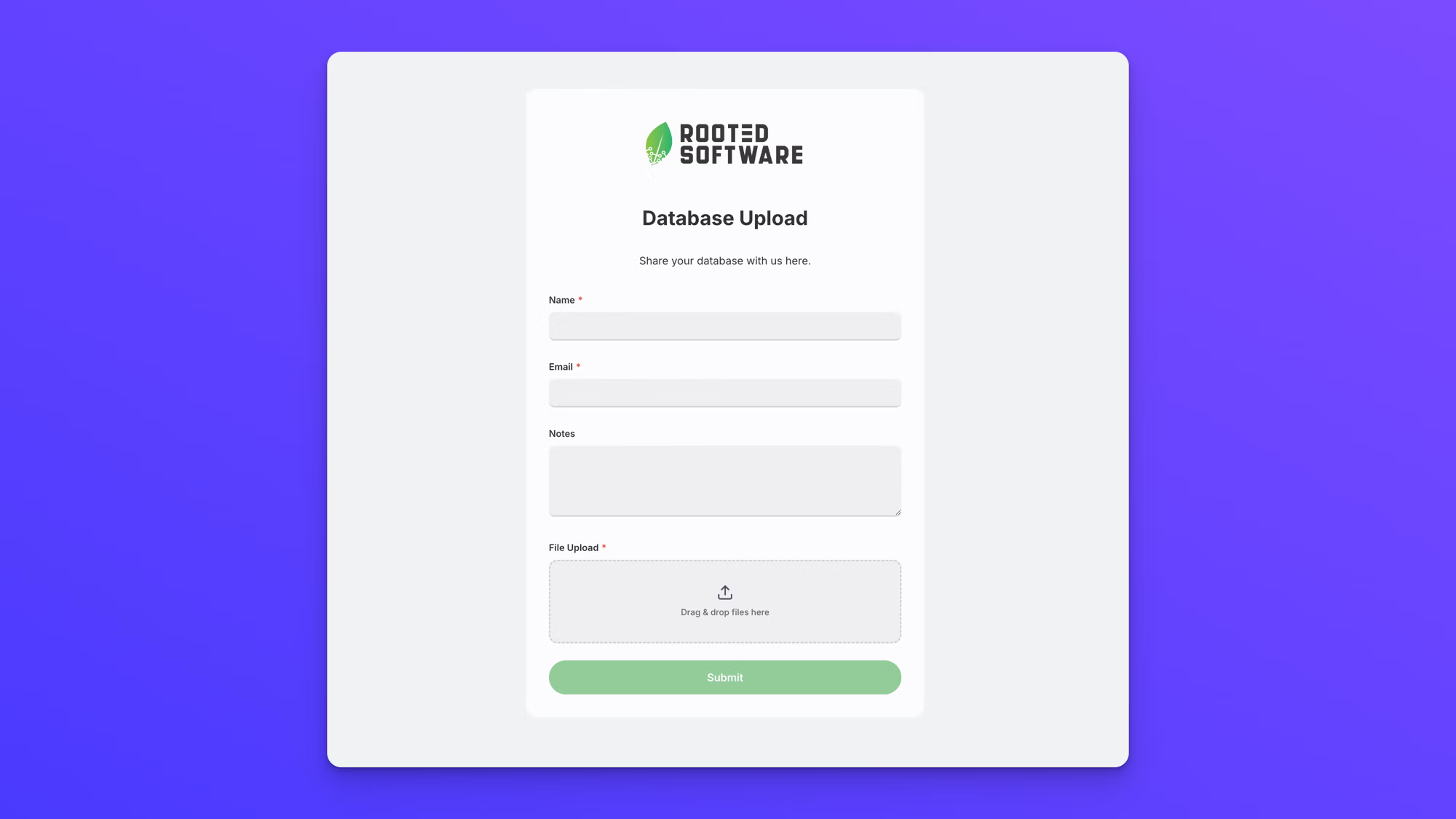
Today, Rooted collects that data through a single upload link built in EZ File Drop. The client opens it, sends their database backup without installing software, creating a login, or touching file sharing permissions, and the files are delivered into Rooted's SharePoint library. They travel over an encrypted connection into the cloud storage Rooted already controls. The fifty-gigabyte backups that broke the old tools go through the same link as everything else. Barnabas Lee, a systems consultant at Rooted, gives clients a standing instruction: "Please don't try to email us your data. We have an easier, more secure way."
Getting their data in is one thing. Getting all of it is another. Rooted asks clients for the entire database, not a tidy sample, even the parts they assume are junk. "We want the entire picture," Barnabas says. "We don't want a subset of it." Pulling only the records that look useful means guessing, and guessing means missing the archived data nobody remembers, "because it was fifteen admins ago." The full backup gives Rooted the complete visibility it needs to do the job well.
The movers who design the new place around you
Barnabas compares his team's work to moving into a new house. Most moving companies will box up your whole house and set the boxes down in the new place, and the sorting is your problem. Rooted takes a different approach. The team learns how the organization actually runs, where it gets stuck, and what it needs to do better, then recommends how the new system should be laid out, which tools fit, and where everything should live so the system serves the mission instead of fighting it.
"We're the movers," he says, "but unlike regular movers, we don't just drop everything and figure it out later. We say, this is obviously a utensil drawer, let's put the utensils here. These are where the bowls go. We make it make sense with the flow of your new system."
In practice, that's data wrangling. The team analyzes the entire database backup, looking for patterns, good and bad. A good pattern is all the gift data sitting cleanly in one column. A bad one is the thing Barnabas calls every database administrator's nightmare: open text fields, where people typed whatever they wanted, however they wanted, for years.
So why is the data so often a mess? Rarely because anyone did a bad job. "Their database administrator is a rotating door," Barnabas says. The role burns people out, or someone builds up a few years of experience and leaves for better pay in the for-profit world, and a nonprofit can't always compete on salary. Each new person inherits a system shaped by whoever came before, with different habits and different ideas about how things should be tracked. Stack up enough of those handoffs and, as Barnabas puts it, "the data reflects it. If we want to track data across multiple years, it's all over the place."
The part of a data migration most people skip
One choice separates a migration you'll be glad about from one you'll regret. The tempting move is to take the mess as it is and pour it straight into the shiny new system. It's faster. It's cheaper. It looks like progress.
It isn't. "We can migrate that bad data in," Barnabas says, "but you're still in the same place. You're not going to love that system." The organization ends up blaming the new tool for problems the old data carried in with it, and starts shopping for a replacement it doesn't need. "The last thing I'd want is to migrate someone twice."
That's the whole case for doing the tedious part. Cleaning before you carry isn't perfectionism. It's the difference between a system your team trusts and one they quietly work around. When the data is clean and consistent, as Barnabas puts it, "we're asking one question and getting one answer."
How Rooted runs a nonprofit data migration
Strip the metaphor away and the process comes down to six moves, in this order:
- Sign the agreements first. Data protection agreements and NDAs before anything changes hands, with the data landing in an environment locked behind multi-factor authentication.
- Collect the full backup, not a sample. Pulling only the records that look useful means guessing, and guessing means missing the archived data nobody on staff remembers.
- Make the handoff easy on non-technical staff. No file-transfer client to install, no login to learn, no size ceiling that a database backup blows straight past.
- Analyze before you migrate. Look for patterns across the whole database, the good ones like gift data sitting cleanly in one column, the bad ones like years of open text fields.
- Clean, then carry. Migrating bad data into a new system reproduces the old problem and puts the organization back in the market a year later.
- Design the destination around the work. Decide where things live based on how the organization actually operates, not how the old system happened to be shaped.
What a clean nonprofit data migration gets you
Get it right, and the payoff isn't really about technology at all. The executive director stops losing those hours to duplicate entry. The systems finally talk. The team can actually see whether its mission is working instead of guessing.
Toby is careful not to treat that as the finish line. Rooted's long game is what it calls system success: not just getting an organization into the right tools, but helping it stay in them and use them effectively over years, not weeks. He's also thinking hard about where AI fits, with the same instinct that runs through everything else. The goal, he says, is "a healthy balance. How do we use it as a tool to be better at what we do, without taking away the humanity in our relationships?"
In the end, the work splits in two. You can make moving the boxes effortless. The same pattern shows up anywhere a nonprofit takes in files from outside the building, whether that's photos and paperwork from volunteers, donors, and program staff or a consultant taking delivery of a decade-old database. Tools exist precisely so the mechanical part stops eating anyone's time or nerves. But the judgment, deciding what matters, what to fix, and what an organization actually needs from its data, is human work. It's the part worth protecting. Rooted's entire model comes down to knowing the difference between the two.
Move everything. Just don't move the mess.
Rooted Software collects large, sensitive nonprofit databases through EZ File Drop: no logins, no size headaches, no chasing. See how it works at ezfiledrop.com.
Written by Eric Stracke