
Introducing the New EZ File Drop
The new EZ File Drop is here. It's the biggest release since we launched in 2020, and it leads with the two features you've asked us for more than anything else: conditional logic and custom domains.
The new EZ File Drop is a ground-up rebuild of the entire platform. It introduces conditional logic, multi-page forms, custom domains, unlimited connected cloud accounts, SharePoint support, form insights, webhooks, and universal search, while keeping the core promise the same: branded upload forms that deliver files to your own cloud storage.
That's the short version. The longer version is worth a few minutes, because almost every part of the product got better. Below is a tour of the headline features, the workflow upgrades behind them, and a full at-a-glance list of everything new.
Why We Rebuilt EZ File Drop
We launched EZ File Drop to solve a problem we kept hitting in our own client work: getting files from people shouldn't require them to create an account, install anything, or see someone else's brand all over the experience. That idea found an audience faster than we expected, and for six years we kept adding to the original platform.
But some of the things you asked for most couldn't be bolted on. Forms that adapt to the answers people give, share links that run on your own domain, one login routing to any number of cloud accounts: these needed a new foundation, not another addition to the old one. So we built one.
The principle underneath hasn't moved an inch. Your files belong in the cloud storage you already use. EZ File Drop doesn't keep your files; every upload is delivered to the destination you choose. The new platform keeps that promise and builds a far more capable product on top of it.
Conditional Logic and Multi-Page Forms
Let's start with the single most requested feature we've ever had: conditional logic.
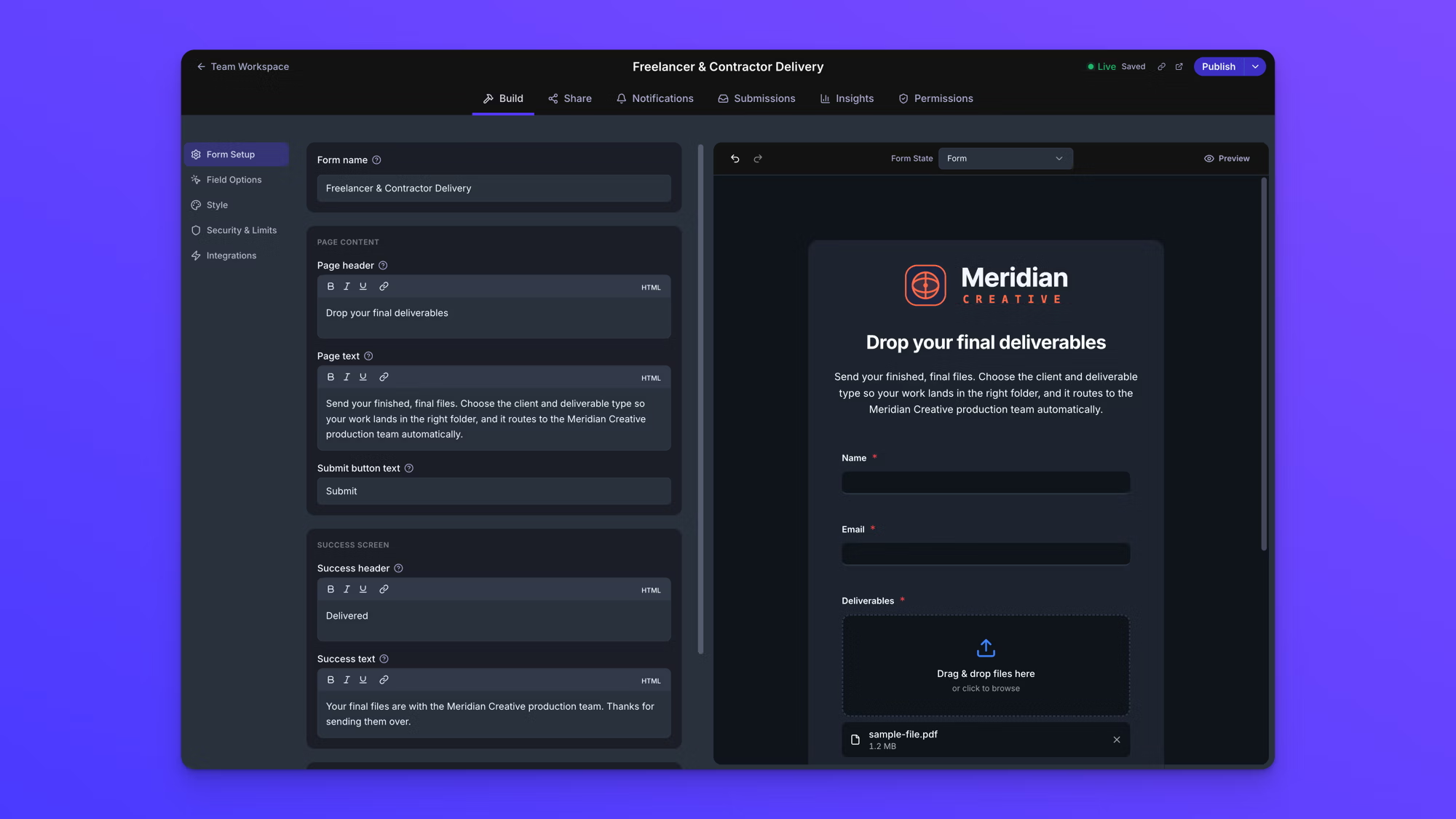
Your forms can now show and hide fields based on the answers people give. Someone selects "Video project" from a dropdown and sees the fields that matter for video. Someone selects "Print" and sees a completely different set. Nobody scrolls past twenty questions that don't apply to them, and you still collect everything you need from everyone.
Multi-page forms carry the same idea further. Long forms can now be broken into steps, so what used to feel like a wall of fields becomes a guided flow with a beginning, middle, and end. Combine the two and a single form can do what used to take several.
Here's a real shape this takes: a marketing agency's client onboarding questionnaire that used to live as three separate forms, one per service line, is now one multi-page form. Page one asks which services the client signed up for. The questions that follow show only the fields that apply to what they picked, and the files and answers are delivered to that client's folder like always.
The form builder grew alongside the logic:
- New field types. Ratings, date pickers, and layout and text blocks for structuring the page.
- Custom themes and color libraries. Save a look once and your team can apply it to every form.
The full field and styling rundown lives on the features page.

Custom Domains: Your Brand From First Click to Confirmation
Right behind conditional logic on the request list: "can the link be on our domain?"
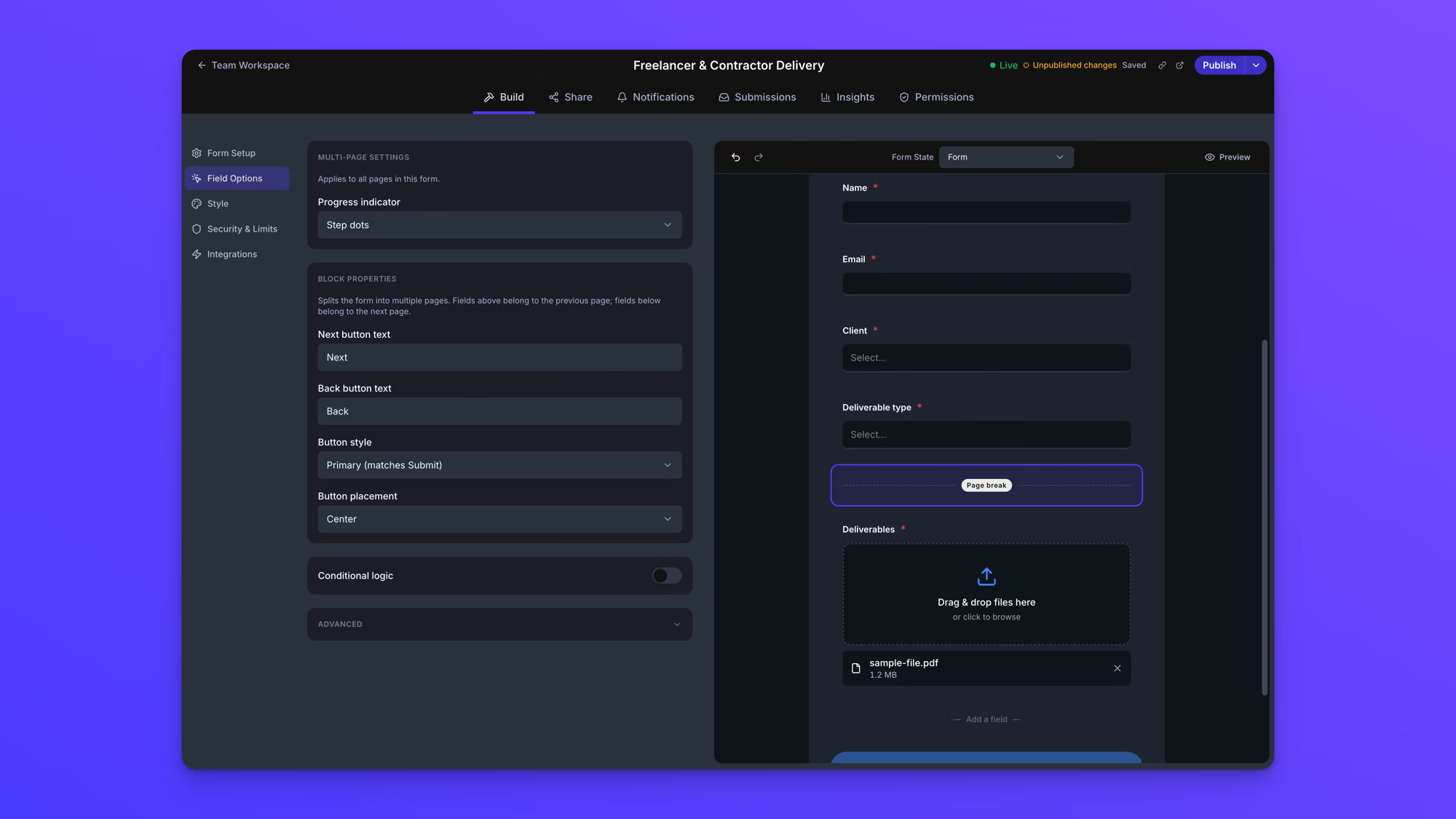
Now it can. Your share links and your email notifications can run on your own custom domain, so the link your client clicks, the page they land on, and the confirmation email they receive all carry your name instead of ours. Notification emails can even send from your own address on your domain (custom domains are part of the Premium plan).
The rest of the branding surface got the same treatment, and none of it requires a custom domain:
- Your reply-to address. Notification emails can use your own reply-to, so responses go exactly where you want them.
- Your link, everywhere it appears. Share links now have customizable properties, so the page title, favicon, and social preview that show up when your link is shared are yours to set.
- Your thank-you page. Define a custom redirect after submission, sending uploaders to a page on your own site instead of a generic confirmation.
Put together, EZ File Drop disappears from your customer's experience. On the legacy version, a beautifully branded form still lived at our URL. On the new platform, the whole journey can run on yours.
Built for Bigger Workflows
The requests behind this next group all came from teams whose operations outgrew what the original platform was built for. The new EZ File Drop is built to match.
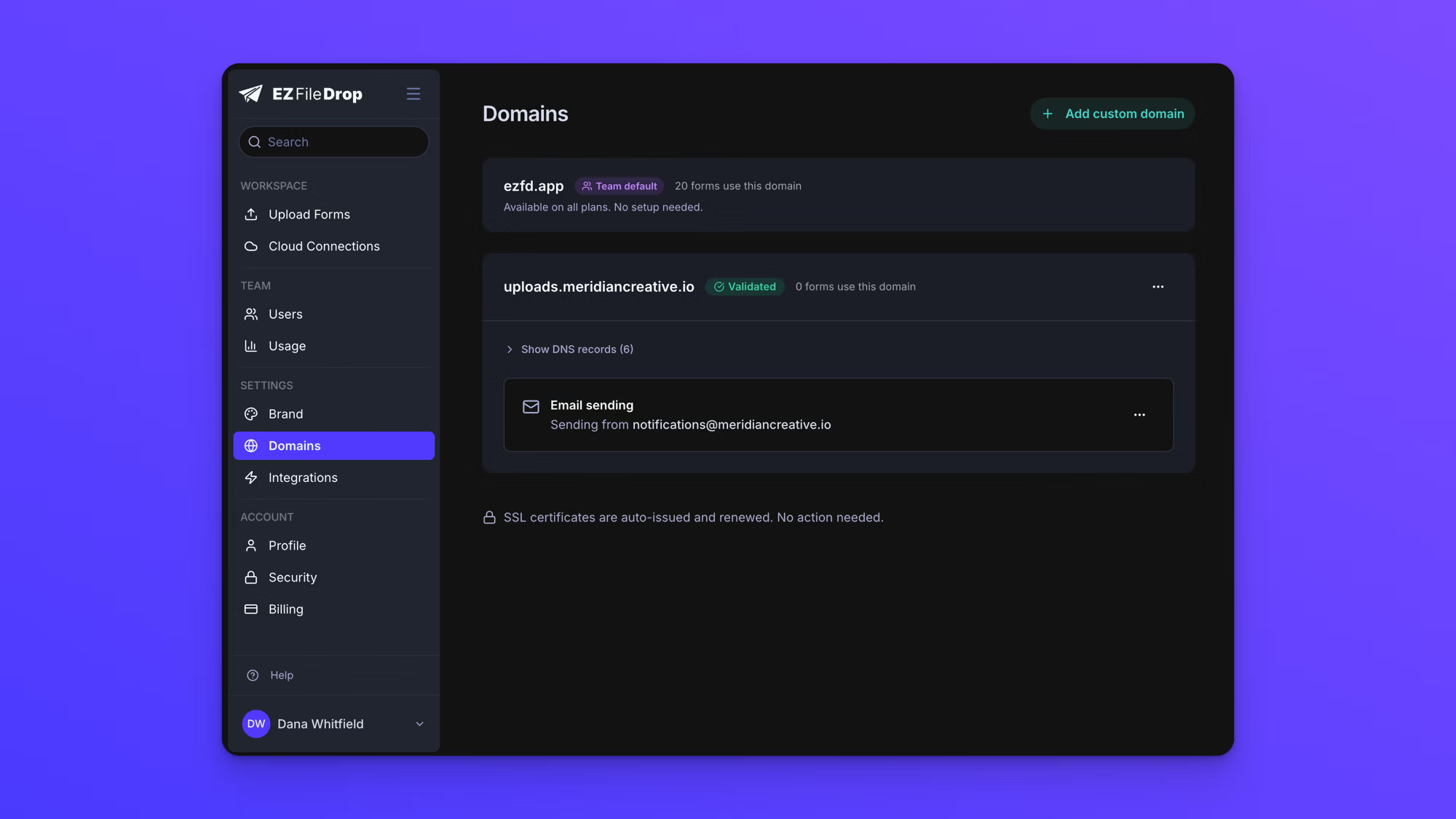
A single EZ File Drop login can now connect to unlimited cloud accounts, in any combination of storage types. Every form picks its own upload destination, and it goes further than that: one form can hold multiple upload dropzones, and each dropzone can route to its own destination, whether that's a different cloud entirely or the same cloud on a different account. An agency managing thirty client accounts can route each client's form to that client's own storage, all from one login. No juggling accounts, no files delivered to a shared bucket that someone has to redistribute later.
Routing is just the start. Here's the rest of the workflow toolkit:
- Deeper file organization. Form answers can now build unlimited layers of subfolders, and file renaming is no longer limited to a prefix: construct the entire file name using form data, so files arrive named exactly the way your team already organizes them.
- Workspaces. Every user gets a private workspace for their own forms and a shared workspace for the team's, so forms are visible to exactly the people they should be. And shared now means shared: for the first time, teammates can actually edit a shared form, with granular per-user permissions controlling exactly who can do what.
- Webhooks. Webhooks join Zapier for automation, firing submission data to any endpoint you point them at.
- Universal search. One search box now covers everything in your account: forms, submissions, and files.
- Google Sheets sync, everywhere. Connect any Google account and your submission data can sync to a spreadsheet regardless of which upload destination a form uses.
Form Insights: See What Your Forms Are Doing
Until now, you knew what came in. With the new EZ File Drop, you can also see what's happening before the upload.
Every form now has form insights: views, scans, submissions, conversion rate, traffic sources, devices, and browsers. If a form is getting traffic but not submissions, you'll see it. If one sharing channel outperforms another, you'll see that too.
QR codes get the same visibility. Every form's built-in QR code now tracks scans, so a nonprofit running a QR campaign on printed flyers can see scans by location and device and know which placements are actually working, not just guess from the submission count.

SharePoint, FTP, and the Full Integration Roster
The new EZ File Drop adds a brand new upload destination: Microsoft SharePoint. If your organization runs on Microsoft 365, your upload forms can now deliver files directly into your SharePoint document libraries, with the same dynamic folder organization as every other destination.
That brings the full roster to six: Google Drive, Dropbox, OneDrive, SharePoint, Box, and FTP. Any form can deliver to any of them.
Everything New at a Glance
If you skimmed to this point, this table is for you.
Every feature above is covered in more depth on the features page.
Frequently Asked Questions
What's new in EZ File Drop?
The new EZ File Drop is a ground-up rebuild of the platform, released in 2026. It adds conditional logic, multi-page forms, custom domains, unlimited connected cloud accounts, SharePoint support, form insights with QR scan tracking, webhooks, and universal search. The core product is unchanged: branded upload forms that let anyone send you files, delivered directly to your own cloud storage. The features page has the complete rundown.
What is conditional logic in EZ File Drop?
Conditional logic lets your form fields show or hide based on the answers people give. An uploader who selects one project type sees only the questions relevant to that choice, while your team still collects complete, structured information from everyone. Combined with multi-page forms, it turns long forms into short guided flows and can consolidate several single-purpose forms into one.
Can I use my own domain with EZ File Drop?
Yes. Your share links and email notifications can run on your own custom domain, so uploaders see your web address from the first click through the confirmation email. Several branding controls don't require a custom domain at all: you can set your own reply-to address and customize how your share links appear when posted, including the page title, favicon, and social preview. Plan details are on the pricing page.
Does EZ File Drop support SharePoint?
Yes. SharePoint is a new upload destination in the new EZ File Drop. Files submitted through your upload forms are delivered directly into your Microsoft 365 SharePoint document libraries, with the same dynamic folder organization and file naming available on every other destination. EZ File Drop connects to cloud-hosted SharePoint as part of Microsoft 365. See the SharePoint integration page for details.
Where can I see all the new features?
The features page is the full inventory, organized by capability: form building, cloud routing, distribution, controls, submissions and insights, notifications, team collaboration, automation, and security. Each section covers what the feature does and how teams use it. For plan-by-plan availability, the pricing page has the complete comparison.
A Thank You, and What Comes Next
Six years ago, EZ File Drop was a side project built to fix a problem in our own studio. Today it moves files for accounting firms, agencies, schools, nonprofits, law firms, city governments, and thousands of teams we never could have predicted. If you're one of them: thank you. Nearly every feature in this release exists because customers like you told us what was missing, and the new EZ File Drop is our answer.
And this release isn't the finish line. It's the foundation we'll be building on for the next six years, and there's a lot already on the roadmap, full branching logic for forms included.
New to EZ File Drop? Every new account starts with a free 7-day trial, no credit card required. Start your free trial and see what the new EZ File Drop can do for the way you collect files.
Written by Eric Stracke