
Receive file uploads into your own Box account.
No credit card required · 7-day Business plan trial
How it works
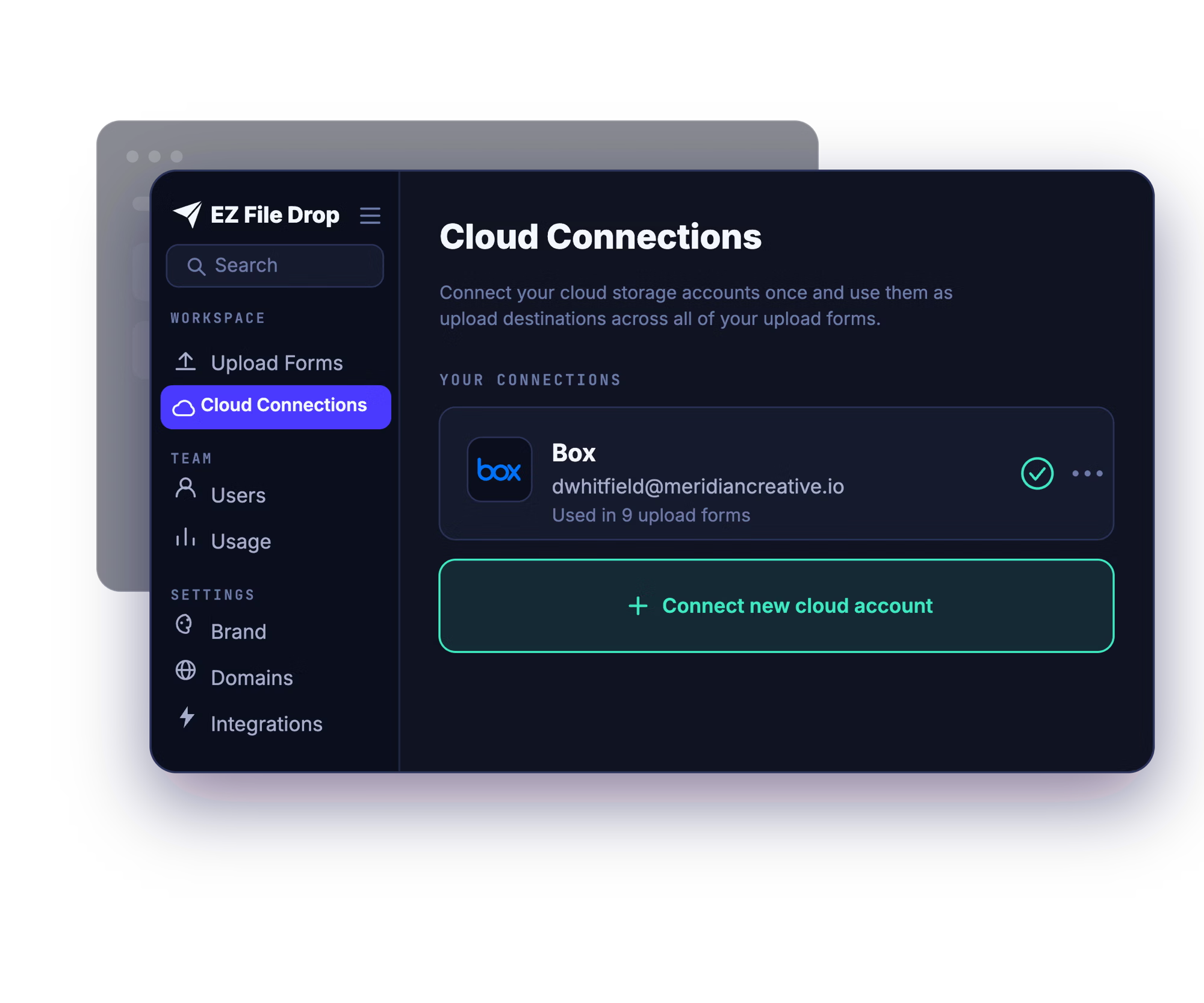
Connect your Box
You connect your account once, through Box's own secure sign-in (OAuth2). EZ File Drop never sees or stores your password, and you can disconnect any time.
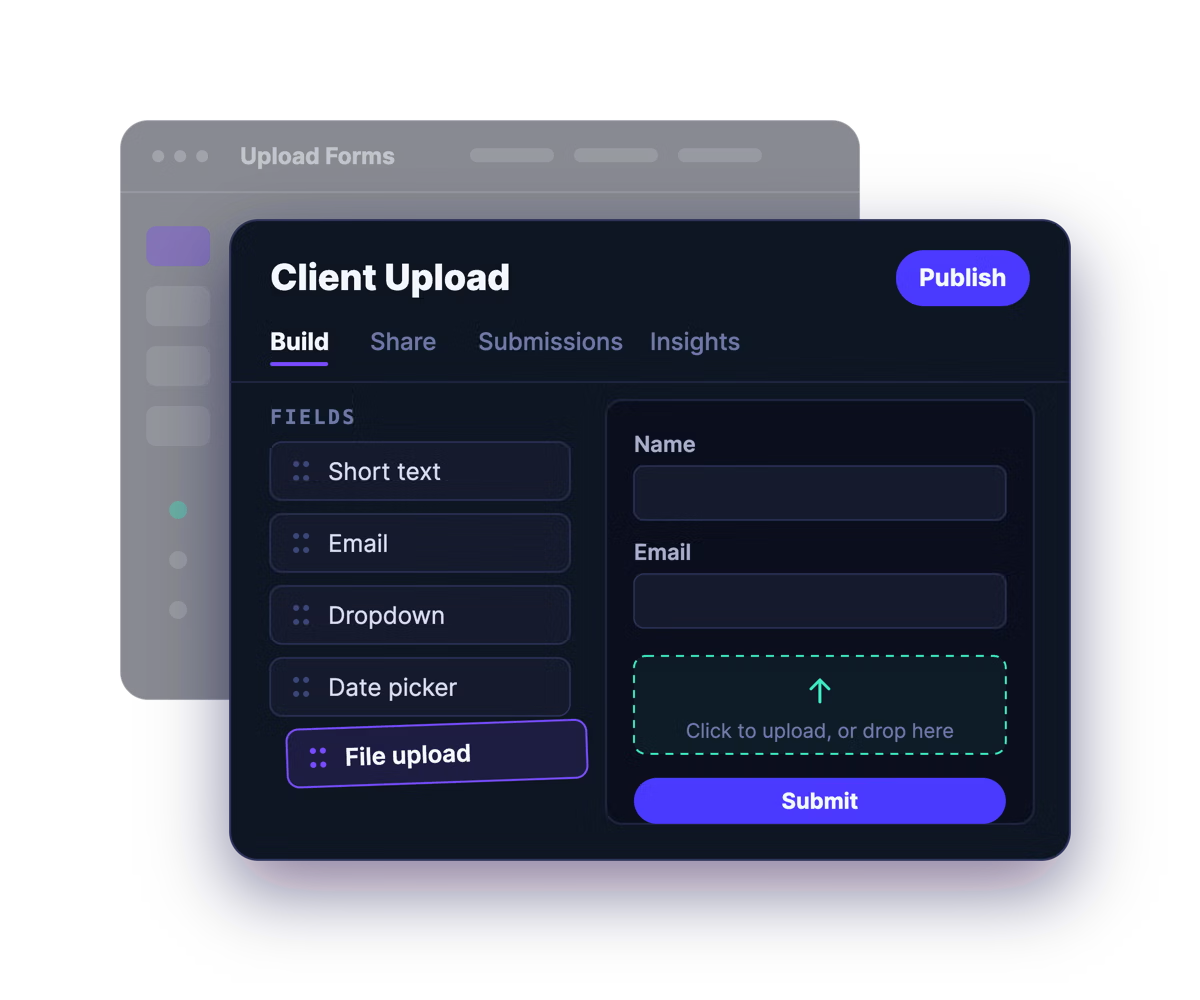
Build a branded upload form
Drag and drop the fields you need, add your logo, colors, and fonts, and write your own instructions. No design or developer help required.
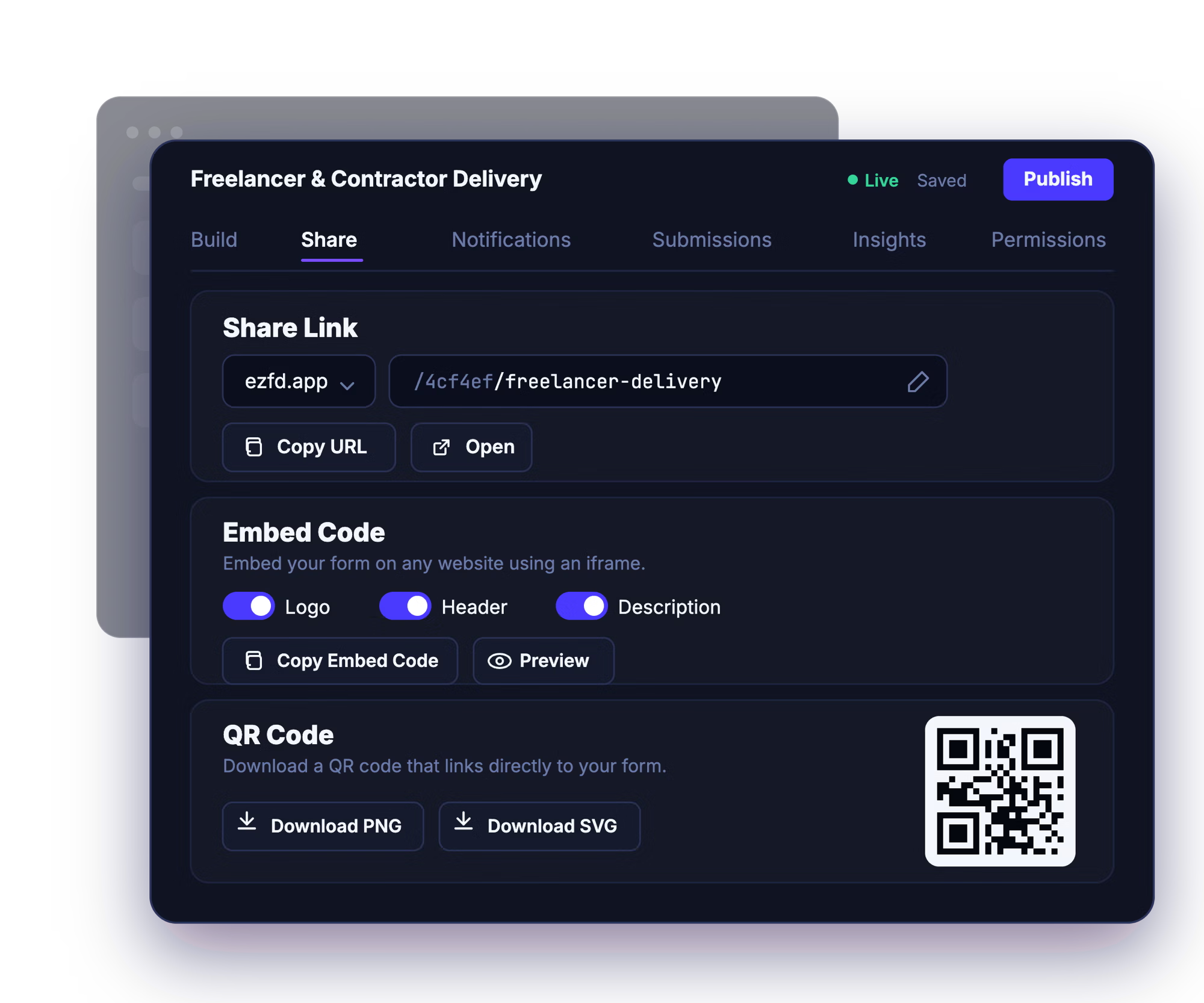
Share the link, embed it, or post the QR code
Send the share link by email, drop the form onto your website, or print the QR code for in-person collection. Uploaders just open it and go.
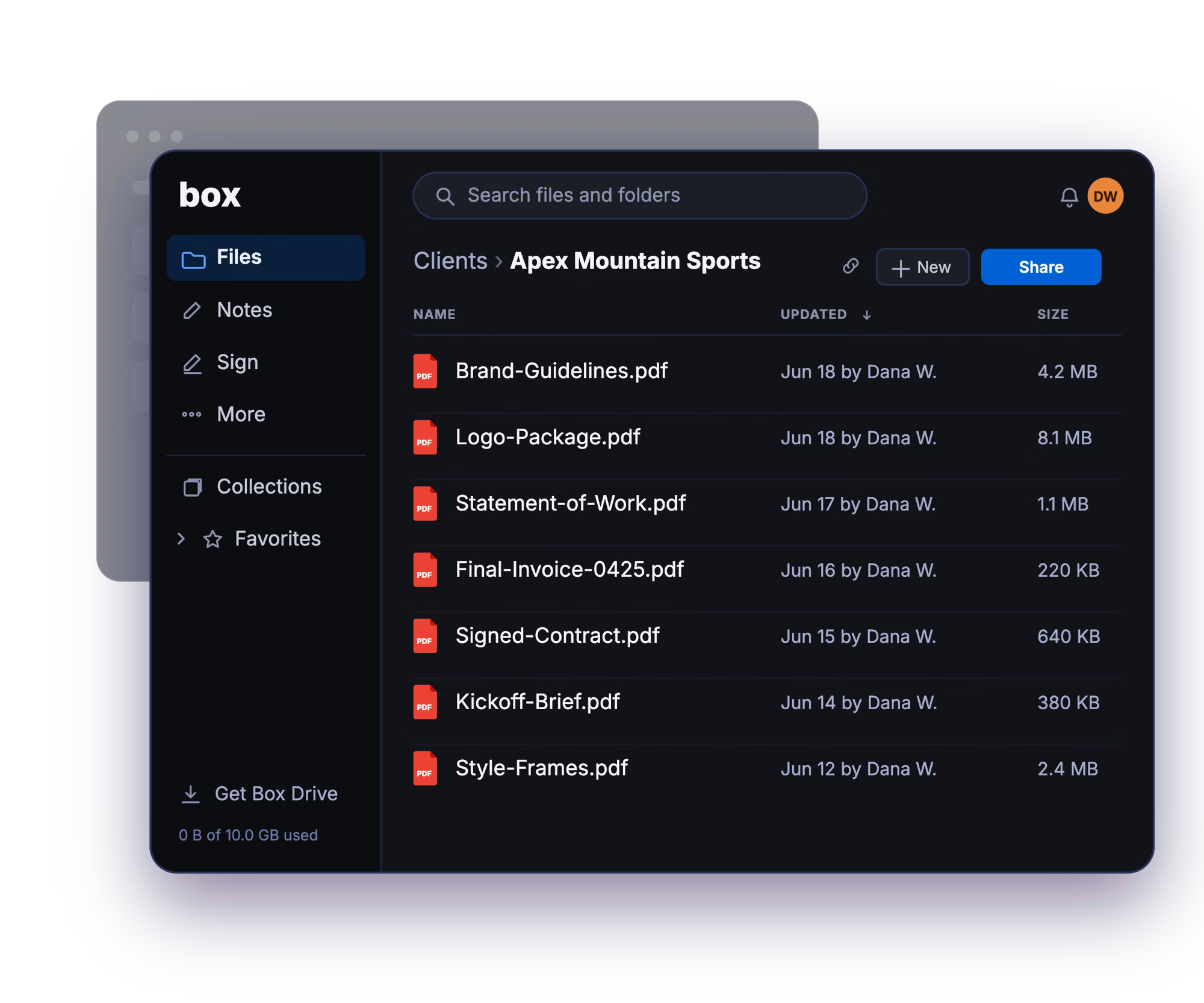
Files arrive organized in your folder
Every submission is delivered into the Box folder you chose, automatically sorted into subfolders by submitter, project, or any form field.
Already using Box File Request?
EZ File Drop and Box File Request both put your files in the same place: your own Box account. What differs is who can build one, and how much work it takes to collect anything besides the file.
Box File Request is a capable feature, and it is the strongest of any cloud's built-in version. Two things narrow it. You need a Box Business plan or higher just to create one, so individual and Personal Pro accounts are out entirely. And while it can collect information alongside the files, the fields come from a metadata template that has to be turned on for your enterprise and built by an administrator first, which puts a simple intake form behind an IT request. There is no built-in name field, you get one File Request per folder, and everything arrives in that one folder.
Whether you collect with Box File Request or with EZ File Drop, the files end up in your Box account. The difference is what it takes to get there: EZ File Drop works on any plan, lets you add the fields you need without an admin building a template first, gives you as many forms as you want pointing anywhere you choose, and sorts and names everything before it reaches your folder.
Everything EZ File Drop can do with your Box account.

Connect EZ File Drop to Box →
Want the detailed breakdown? Read how EZ File Drop compares to Box's built-in file request →
Built for the way your organization uses Box.
Education
Collect assignments, applications, and research documents from students and departments who don't need a Box account to send them. A natural fit for the universities Box already serves. See how schools use it →
Law Firms
Take in case documents, signed forms, and client files into the right matter folder, without granting outside parties any access to your Box. See how law firms use it →
Accounting & Bookkeeping
Collect tax documents, receipts, and statements from clients into a tidy folder per client, delivered into Box. See how accounting firms use it →
Marketing Agencies
Pull creative assets, brand files, and client approvals into the right Box project folder, organized automatically. See how marketing agencies use it →
Real Estate
Take in transaction documents, disclosures, and listing photos from clients and agents, each delivered to the right Box folder.
And many more…
FAQ

No, and they don't need an EZ File Drop account either. Anyone with your form link can open it and upload without signing in to anything. The Box connection is yours alone, and the people uploading never touch it.
In the exact Box folder you chose when you set up the form. Every submission to that form is delivered to that same folder, and different forms can point at different folders. If a form collects something like a client name or a project number, EZ File Drop can create a subfolder for each one automatically, so files arrive sorted instead of stacking up in one place. See Set up dynamic file organization.
Yes. The connection works with any Box account, from individual plans up to Box Enterprise. You connect your account, choose a folder, and submissions are delivered into it. See Connect Box.
Yes. You can point a form at a shared Box folder your whole team can access, or at any other folder you choose. For anything a team relies on, the shared folder is usually the better setup, since it doesn't route client work through one person's personal folder.
Yes, on every plan. You can connect as many Box accounts as you want to a single EZ File Drop login and point each form at whichever one it belongs to. Useful if you keep client work in one account and internal work in another. See Connect multiple cloud accounts.
Every form has a submission viewer in your EZ File Drop dashboard, on every plan. You can browse all the submissions to a form, read the form responses attached to each one, and search by person or file name without digging through the Box folder. See View and manage submissions.
Yes. Your files are delivered into your Box account and live there, so they use your Box storage the same way any file you added yourself would. That's the point of working this way: the files are yours, in an account you control, and they stay there whatever happens to your EZ File Drop subscription.
Yes. EZ File Drop connects through Box's own sign-in using OAuth2, so we never see or store your Box password, and you can revoke access at any time from your Box account settings. Files move over TLS-encrypted connections the whole way.
EZ File Drop retries automatically, several times with a growing gap between attempts, which clears most failures without you doing anything. Two situations retries can't fix are a disconnected account that needs reauthorizing and a destination folder that's been moved, renamed, or deleted. Failed files stay in staging so you can retry the delivery from your dashboard. See Fix upload errors.
Every plan, including Starter, connects all six cloud destinations, Box included. The features built on top of it are split by plan: dynamic file organization, your own colors, fonts, and logo, and white-labeled forms are on Business and Premium. Full breakdown on the pricing page.
Box File Request is a feature built into Box. EZ File Drop is a separate product that connects to your Box account, so it takes the place of a File Request rather than adding anything to one. Files end up in your Box account either way.
Two things change. Box File Request needs a Box Business plan or higher before you can create one at all, and collecting anything beyond the file means asking an administrator to build a metadata template first. EZ File Drop works on any plan and you add fields yourself. And the form itself is different: a Box File Request page carries an admin-set logo and one color, has no built-in name field, and allows one request per folder, with everything arriving in that folder. A form you build in EZ File Drop collects whatever fields you add, sorts files into subfolders based on the answers, and keeps a searchable record of every submission. On Business and Premium it carries your own logo, colors, and fonts.
Start collecting with your own Box file request form.
Build your first branded form, connect your Box account, and share the link in minutes.